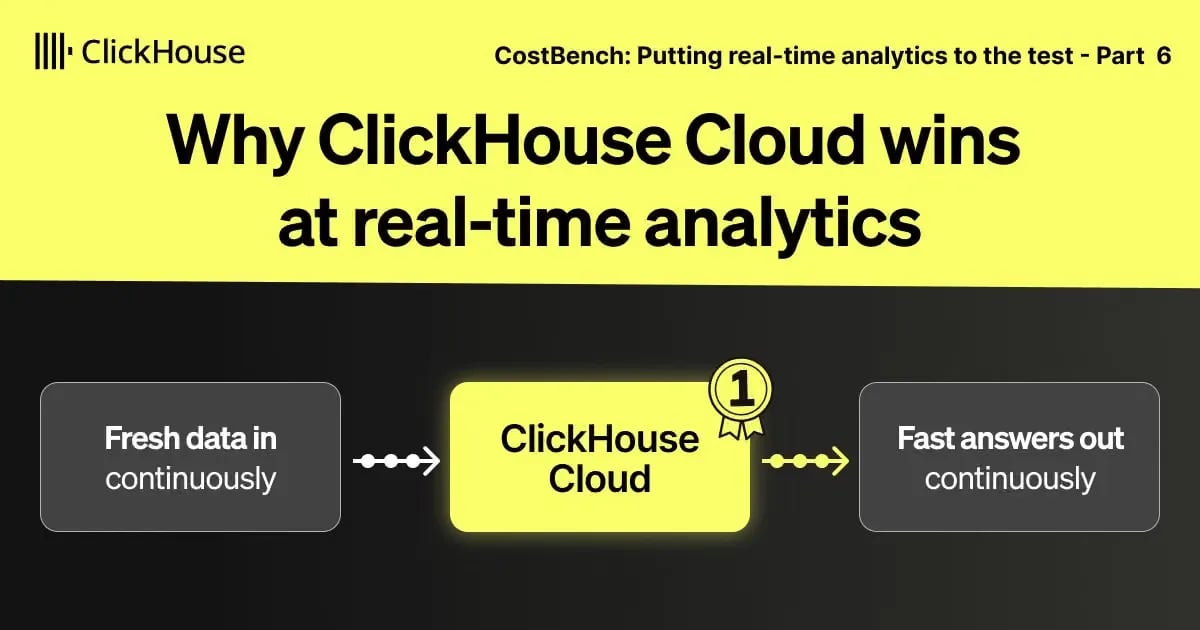
Why ClickHouse Cloud wins at real-time analytics
Explore how ClickHouse Cloud turns fresh data into fast answers with efficient preparation, parallelized queries, and elastic scaling.
TL;DR
CostBench measured 412×–1,996× better end-to-end performance per dollar for ClickHouse Cloud compared with Snowflake, Databricks, BigQuery, and Redshift Serverless.
This post takes you on an illustrated journey through ClickHouse Cloud, from preparing incoming data to fast queries and elastic scaling. We explain how these mechanisms reinforce each other and show what they enable for real-time applications and agents, with examples from customers running them in production.
This post concludes our current CostBench series.
Earlier parts: Methodology · Snowflake · Databricks · BigQuery · Redshift
“There’s nothing out there that competes with ClickHouse”
That is how Alon Tal, Senior Staff Software Engineer at Tesla, describes ClickHouse. In an 11-day load test, Tesla ingested one billion rows per second, accumulating more than a quadrillion rows.
At Cloudflare, that scale appears on the query side. Jamie Herre, Senior Director of Engineering, demonstrated queries returning in under two seconds whether they covered a full day of event data - 1.61 quadrillion events - or an entire year.
Both examples demand efficiency across the whole analytical path. Incoming events must become ready for analysis while queries continue over a growing dataset. Organizing those events and maintaining current summaries carries its own cost, and determines how much work remains for each query.
CostBench measures that preparation and query execution together. We streamed 113.2 billion stock-market quotes into ClickHouse Cloud, Snowflake, Databricks, BigQuery, and Redshift Serverless, simultaneously running analytical queries throughout ingestion. We tracked summary freshness, preparation cost, query cost, and query runtime.
Across the four comparisons, ClickHouse Cloud delivered the lowest preparation cost, query cost, and accumulated query runtime. Together, those advantages produced 412× to 1,996× better end-to-end performance per dollar.
The benchmark code, queries, configurations, measurements, and instructions for reproducing the results are available in the CostBench repository.
The preceding posts traced each provider’s results through its architecture. This final post takes you under the hood of ClickHouse Cloud, following fresh data from arrival to analytical answer. We explain how efficient preparation, parallelized query execution, and Cloud scaling shape CostBench’s results and what they enable for real-time applications and agents.
Unmatched end-to-end performance per dollar
CostBench’s end-to-end score combines the ① cost of preparing fresh data with ② query-serving cost, then multiplies that total by ③ accumulated query runtime. Lower is better: efficient preparation and fast query execution both improve the result.
ClickHouse Cloud delivered 412× better end-to-end performance per dollar than Snowflake, 752× than Databricks, 438× than BigQuery Capacity, and 1,996× than Redshift Serverless.
How we kept the comparison fair (click to expand)
Same workload and preparation requirements. All systems received the same data and ran the same queries on the same schedule. Raw data and daily pre-aggregations used matching sorting or clustering keys.
Query compute: align where possible. Some platforms allocate compute dynamically. Configurable sizes may differ in CPU count, or provide different amounts of RAM at the same core count. We aligned query compute wherever a meaningful match was possible.
Ingestion and preparation: minimize cost where possible. For configurable services, we used the smallest tested setup that sustained the target rate during calibration while keeping data query-ready. Where the platform controlled ingestion or maintenance compute, its native allocation and charges remained part of the comparison.
Compare what that spending delivers. Additional query compute can buy faster answers. Spending on continuous preparation can leave less work for queries, reducing their runtime and cost. CostBench ranks systems by their end-to-end performance per dollar using a score that automatically weighs the resulting query speed against the combined preparation and query-serving cost. A more expensive setup must deliver enough faster answers to justify its higher cost.
The breakdown below shows how that lead develops while data is arriving. ClickHouse combines the lowest preparation cost with the lowest query cost and accumulated query runtime across the comparisons.
Source: Measurements and methodology
ClickHouse Cloud ingested and prepared all 113.2 billion rows for $28.69 across its complete high-availability ingest service. The overview shown here records about $0.05 in total query cost and 1.03 minutes of accumulated query runtime for ClickHouse, while its daily summaries remained current with the raw data.
Lower costs at scale in practice:
Buildkite’s migration shows how those economics translate into production: shifting workloads to ClickHouse Cloud reduced net infrastructure spending by five figures per month while event ingestion quadrupled.
To see where that advantage comes from, follow the data through ClickHouse Cloud - from preparing incoming events to answering the next query.
The fastest, lowest-cost path to query-ready data
Real-time analytics depends on keeping new data ready for the next query. CostBench measured the work of ingesting the quote stream, ordering raw history, and maintaining daily summaries while queries continued to run.
ClickHouse’s lead in data preparation
ClickHouse Cloud was the only tested system whose daily summaries were query-ready as soon as its raw data. Its zero-lag line shows that newly written raw rows were always in sync with its summaries.
Source: Measurements and methodology
ClickHouse updated pre-aggregations during inserts, so raw data and summaries advanced together. The other tested systems refreshed pre-aggregations asynchronously, after raw data was written, creating the lag shown above.
Keeping both raw history and daily summaries query-ready came at the lowest preparation cost. Preparing all 113.2 billion rows cost $28.69 in ClickHouse Cloud, compared with about $79 in Snowflake, $243 in BigQuery Capacity, $522 in Redshift Serverless, and $696 in Databricks.
Source: Measurements and methodology
The other tested stacks involved additional ingestion or maintenance services, often with separate charges. ClickHouse handled all three preparation steps - columnar storage, ordering, and pre-aggregation - inside the same engine, with that work included in the ingest-service cost.
Inside the engine behind that lead
ClickHouse keeps preparation overhead low by sorting and pre-aggregating incoming data while it is in memory anyway.
Sorting and pre-aggregating incoming data in memory
Incoming data lands in memory either in a directly received client batch or in an asynchronous-insert buffer. ClickHouse then sorts raw quotes by the raw table’s sorting key (stock symbol and time) and uses an incremental materialized view to compute daily summaries, which it sorts by the summary table’s sorting key (symbol and day). Both are then written as sorted, compressed columnar data parts to disk, avoiding a separate write-and-reread cycle for initial preparation. Raw data and summaries advance together from the same incoming data.
Other tested paths leave ordering raw data and pre-aggregating and ordering summaries to separate asynchronous stages after the initial write. New raw rows become available before their summaries are refreshed, so these paths cannot guarantee zero lag between the two. The animation below shows how both stages can fall behind ingestion.
Those stages read data back from storage, adding preparation work and I/O. Newly written raw rows may still await sorting, while their ordered summaries lag further behind.
Put ClickHouse Cloud to the test
See how efficient data preparation and parallelized query execution work on your own data. Explore ClickHouse Cloud with your real-time workload.
Preparing data while it is already in memory keeps the overhead low. ClickHouse also accelerates that work by parallelizing its execution.
ClickHouse is built to push hardware to its limits
ClickHouse uses as much compute as the underlying infrastructure will provide. Its engine parallelizes both data preparation and query execution across nodes, CPU cores, and SIMD lanes. We’ll begin with data preparation, then show how the same approach carries through to query execution.
Different nodes can process different inserts concurrently with zero synchronisation required. In ClickHouse, concurrent insert operations are isolated from each other. Each insert writes new data parts, each with its own sparse primary index and metadata. Nodes can therefore prepare data without rewriting existing data or updating a shared table-wide index.
Within each node, ClickHouse parallelizes sorting and pre-aggregation across CPU cores. Aggregation uses mergeable partial aggregation states: each CPU core can aggregate its own subset of rows, and the states can be combined into a correct result. ClickHouse uses this model for its 200+ aggregate functions and their combinators. During ingestion, the states are written to the summary table. Our GROUP BY walkthrough shows concrete examples.
Within each core, ClickHouse processes columnar data in batches (vectorized execution) and uses SIMD instructions to perform supported operations on multiple values at once.
The animation below zooms from the ingest nodes into one node’s CPU cores, then into one core’s SIMD lanes.
Alongside ongoing inserts, ClickHouse runs multiple background part merges concurrently across CPU cores. In summary tables, these merges continue the pre-aggregation started at insert time by combining partial aggregation states from different batches, progressively shifting aggregation work from query time to background merge time. They also consolidate raw and summary data into fewer, larger parts while preserving each table’s ORDER BY order. Queries combine the remaining states to return a current answer, without scanning recent raw events to catch up. Our VLDB architecture paper describes this design.
The engine’s performance in numbers
While the benchmark ran, via the built-in ClickHouse Cloud advanced dashboard, we monitored the ingest service’s throughput, resource use, data reduction, and background merges,
CostBench streamed 113.2 billion stock-market quotes into every system, targeting 1 million incoming rows per second while analytical queries ran. ClickHouse Cloud was the only tested system whose daily summaries were query-ready as soon as its raw data.
Its high-availability ingest service had two nodes with two CPU cores and 8 GiB of memory each - four cores and 16 GiB in total. Those cores made incoming batches query-ready and used remaining CPU capacity for parallelized background merges, including continued pre-aggregation of the summaries, while queries ran on a separate read service. The measured rates below describe that workload, rather than the maximum ingestion capacity of four cores. The $28.69 preparation cost was the lowest across all tested systems and covered both ingest nodes and their background work.
As shown by the animation below, parallelized ingestion and background merges together processed roughly 430 MB/s of uncompressed data while using about 3.2 of the four available CPU cores - roughly 135 MB/s per used core. This processing can be scaled with additional CPU cores and ingest nodes. Later, we’ll show how ClickHouse Cloud scales ingest compute independently of query compute.
Source: Measurements and methodology
During ingestion, those same four cores also delivered the best raw-data compression across all tested systems, reducing 7.08 TB of raw data to 491.2 GB (14.4×).
Source: Measurements and methodology
At roughly 113.2 billion quotes, ClickHouse Cloud had the smallest recorded raw-data size across all five tested systems, as the comparison below shows.
Source: Measurements and methodology
Pre-aggregated storage and monthly storage costs (click to expand)
By the end of ingestion, ClickHouse maintained daily summaries with roughly 60,000× fewer rows than the raw quote history. The chart below compares the stored size of daily summaries across all five tested systems.
Source: Measurements and methodology
Monthly storage estimates use published list prices in the benchmark regions, with Enterprise plans where applicable.
Storage prices: ClickHouse · Snowflake · BigQuery · Databricks (S3) · Redshift.
Estimated monthly storage charges for raw data and daily summaries together are $12.43 for ClickHouse Cloud, $14.61 for Snowflake, $15.16 for Databricks, $20.06 for BigQuery, and $90.44 for Redshift Serverless. These monthly charges also help explain why CostBench excludes database storage from its end-to-end score. Over the benchmark’s short duration, storage adds little compared with the combined cost of ingesting and preparing fresh data and serving queries. Storage costs become more significant over longer retention periods.
Compression reduces the bytes needed to read raw history; pre-aggregation reduces the rows needed to answer recurring analytical questions.
How the four ingest cores handle preparation (click to expand)
Ingestion CPU work breakdown:
Parsing accounts for the largest share of ingestion CPU work; sorting uses roughly 19% and pre-aggregation about 3%. The chart below separates parsing, sorting, pre-aggregation, compression, and other ingestion work. The client sent CSV-encoded batches through asynchronous inserts; parsing converts them into ClickHouse’s typed columnar data. “Other ingestion work” includes building the sparse primary index and part metadata, as well as column statistics and secondary indexes when configured. This chart covers ingestion work; background merging is shown separately below.
Reducing server-side parsing:
ClickHouse supports 70+ input formats, including Native, whose client-prepared columnar blocks reduce server-side parsing and conversion. Our FastFormats study and interactive dashboard explore the effects of format, batching, and compression.
Background consolidation and continued pre-aggregation:
The same four cores merged several million rows per second. These merges consolidated already-ordered raw-data parts and continued combining the summaries’ aggregation states across batches, reducing the work left for queries. The maximum active-part count per partition stayed around 100 as the dataset grew.
Resource usage:
CPU usage stayed around 3.1 of the four available cores, and tracked memory remained within the service’s 16 GiB capacity. The $28.69 preparation cost includes both nodes and their background work.
Source: Measurements and methodology
What this delivers in practice
In CostBench, ClickHouse kept summaries current with ingested raw data at the lowest preparation cost. Ordered, compressed history and compact summaries leave less work for subsequent queries, so applications can answer recurring questions from current data and still investigate individual events.
Fast preparation in practice:
Appcues replaced Airflow rollups in its Snowflake-based analytics stack with materialized views that compute counts and sums at insert time. It eliminated its Airflow infrastructure and reduced the time from an event reaching Appcues to becoming queryable from more than ten minutes to roughly five seconds.
The next section follows that prepared data into the query engine.
The fastest query results at the lowest cost
Efficient preparation reduces the work behind each query. To measure the payoff, CostBench tested the whole path under load, running the same four interactive aggregate queries every ten minutes and the same two selective drill-down queries every hour on every system while fresh quotes were ingested and prepared. Part 1 explains the query workload in full.
ClickHouse’s lead in query processing
ClickHouse Cloud accumulated the least query runtime and the lowest query cost across all four comparisons.
Source: Measurements and methodology
Query-result caching was disabled on every system, so every measured query executed. Underlying data caches were allowed to remain warm, reflecting continuous operation.
For aggregate queries, Snowflake and BigQuery had extra work at query time because their pre-aggregations lagged behind the raw data. They combined their summaries with newer raw rows to return current answers. Databricks and Redshift read their last completed summaries, so their answers could miss more recent quotes. ClickHouse’s pre-aggregations were always current, letting its aggregate queries read prepared summaries directly.
Source: Measurements and methodology
At roughly 100 billion raw rows, the illustrated aggregate query returned a current answer in about 15 ms in ClickHouse, compared with 16 seconds in Snowflake and 4.6 seconds in BigQuery.
Inside the engine behind that lead
Preparation reduces the data each query needs to process. Pre-aggregation lets aggregate queries read compact summaries, while ordering helps queries with suitable filters skip irrelevant ranges. As with data preparation, ClickHouse makes queries fast by parallelizing the remaining work.
Across nodes, a single query can use CPU cores on multiple nodes. Participating nodes can process different subsets of rows concurrently and combine their partial results into one answer.
Within each node, ClickHouse divides the rows to process among available CPU cores, so each core can process its own portion concurrently.
ClickHouse uses mergeable partial aggregation states for its 200+ aggregate functions and their combinators: each CPU core can aggregate its own subset of rows, and the states are combined into the correct answer. Raw-data drill-downs build these states at query time; queries over summaries combine states already prepared during ingestion and background merges. Our GROUP BY walkthrough explains the mechanics with concrete examples.
Within each core, ClickHouse processes columnar data in batches through vectorized execution, improving CPU-cache locality. SIMD instructions perform supported operations on multiple values at once.
The animation below follows the same data as it is divided across nodes, then across one node’s CPU cores, and finally across SIMD lanes within one core.
The aggregation work on each core also benefits from low-level choices. ClickHouse selects from 30+ specialized hash-table variants based on the grouping keys and data. Alexey’s Building for Fast discussion illustrates the experimentation behind such choices, including predicting hash-table capacity.
How ClickHouse further reduces query work (click to expand)
Over the years, ClickHouse has introduced a series of layered optimizations to aggressively reduce I/O. These techniques form the foundation of its speed and efficiency.
The ordering of raw and summary data established during preparation lets ClickHouse’s sparse primary index skip irrelevant ranges. Projections extend this approach with alternative data orderings and their own indexes.
Skipping continues during execution. PREWHERE applies filters before additional columns are loaded. Optimizations for common query patterns such as Top-N further reduce the work required by
ORDER BY … LIMIT
, skipping data that cannot improve the result. Lazy materialization can defer reading output columns until the result rows are known.
ClickHouse also uses caches at several levels to avoid repeatedly fetching metadata and data, decompressing and decoding columns, or evaluating the same filters.
These are only some of ClickHouse’s query optimizations. Statistics guide query planning, and query rewrites eliminate redundant calculations before execution. Other techniques include just-in-time compilation of frequently used expressions and using existing data order to satisfy
ORDER BY
without an additional sort or to simplify aggregation. Our VLDB research paper describes these techniques and the wider engine architecture in more detail.
The engine’s performance in numbers
We also monitored the read service (via the built-in ClickHouse Cloud advanced dashboard) during query execution, tracking processing throughput alongside CPU and memory use.
As shown earlier, ClickHouse Cloud accumulated the least query runtime and the lowest query cost across all four comparisons. Query compute was aligned where possible; where it differed, the score showed whether any extra query speed justified the extra compute cost.
ClickHouse achieved these results using a separate, single-node read service with 16 CPU cores and 64 GiB of memory, while fresh quotes continued to be ingested and prepared. At 113.2 billion quotes, the four interactive aggregate queries returned responses averaging about 15 ms, while the two raw-data drill-downs averaged roughly one second.
The two full-history aggregates, A3 and A4, answered from prepared summaries at an effective aggregation throughput of about six trillion quotes per second. That rate measures the raw quote history represented by their summaries per second of query execution.
Source: Measurements and methodology
The next chart shows the parallelized data processing throughput behind those query executions. At the 113.2-billion-quote endpoint, ClickHouse processed roughly 3.25 GB/s of uncompressed data for drill-downs and 2.05 GB/s for interactive aggregations.
Source: Measurements and methodology
Per used CPU core, the corresponding processing rates were about 374 MB/s for drill-downs and 307 MB/s for interactive aggregations. At the displayed endpoint, CPU usage averaged about 53% during query execution, leaving 47% headroom. Average per-query peak memory was about 19.8 MiB for drill-downs and 13.2 MiB for interactive aggregations.
How does parallelized query throughput scale with CPU cores? (click to expand)
To test how this parallel execution model scales with CPU cores, we reran the two raw-data drill-down queries with 2, 4, 8, 16, 30, and 59 CPU cores available to each query. All 113.2 billion quotes were already loaded and prepared. This was a separate experiment from the continuous-ingestion measurements above.
At 59 cores, throughput reached about 15.56 GB/s with hot caches and 9.85 GB/s with cold caches. Hot permits ordinary data caches and the query-condition cache; cold bypasses data caches and disables the query-condition cache. Query-result caching remains disabled in both cases. Speedups are not perfectly linear: combining partial results adds work, even when that merging work is parallelized, and some query stages cannot be fully parallelized.
Source: Measurements and methodology
Parallelized execution on NVIDIA Vera:
The same parallel execution model also automatically takes advantage of larger machines. On a dual-socket NVIDIA Vera system with 176 CPU cores, the ClickHouse engine delivered the fastest ClickBench result we had ever measured. Our Vera performance walkthrough shows a CPU-intensive aggregation running about 164× faster with 176 cores than with one. That is close to the 176× speedup of perfectly linear scaling: combining partial results adds overhead, and some query stages cannot be fully parallelized.
A separate filtering test processed about 900 GB/s, with further scaling limited by memory bandwidth. The walkthrough also shows how SIMD accelerates supported operations within each core.
What this delivers in practice
CostBench showed millisecond aggregate answers and roughly one-second drill-downs on a single 16-core query node, with CPU headroom while fresh data continued to arrive. ClickHouse also had the lowest query cost and accumulated runtime across the four comparisons, making frequent analytical queries practical over a growing history.
Fast query speed with low costs in practice:
Mintlify uses incremental materialized views in ClickHouse Cloud to serve customer-facing documentation analytics. After replacing its PostHog-based setup, dashboard load times fell from tens of seconds to under one second, while engineering manager Nicholas Khami estimates the same workload costs around 60% less. This has translated into a positive customer experience, with a 30% increase in their Net Promoter Score, indicating strong satisfaction.
Those advantages compound at scale
The ClickHouse engine prepares fresh data batches efficiently, leaving less work for every query, and executes that remaining work efficiently.
Efficient preparation and fast query execution both improve end-to-end performance per dollar, so their benefits compound.
Preparation and query execution reinforce each other
The earlier query-side comparison started with data already prepared and measured a 23×–101× performance-per-dollar advantage for ClickHouse. CostBench tested the broader, continuous-ingestion path and measured a 412×–1,996× advantage with preparation and query serving running together.
Source: Measurements and methodology
Scaling ingest and query compute independently
ClickHouse Cloud adds elasticity and workload isolation to that efficient engine. SharedMergeTree separates table storage from compute, the Shared Catalog centralizes database metadata, and a distributed cache makes hot data reusable across compute changes. This foundation lets stateless compute nodes access the same tables without redistributing stored data as capacity changes.
Compute-compute separation lets ingestion, dashboards, and investigations run on independently sized services, each with its own CPU Cores and memory. CostBench used this separation for its ingest and query services.
Beyond the CostBench setup, On-Demand Compute lets eligible queries request temporary stateless workers through the existing service. These workers provide additional query capacity without permanently increasing the service’s size.
The shared-data architecture also supports several ways to distribute query work:
- Parallel replicas distribute reads and aggregation across nodes.
- Index sharding distributes index analysis across nodes.
- Multi-stage execution dynamically spreads large joins and high-cardinality aggregations across nodes.
Ingest nodes, read nodes, and temporary stateless query workers all run the same ClickHouse engine.
One engine integrates the full analytical path (click to expand)
Data preparation (including insert-time transformations), parallelized query processing, and the distributed execution mechanisms described above are built into it.
ClickHouse Cloud can scale compute independently by workload while retaining common SQL functions, data types, and execution machinery. For developers, this provides a consistent set of building blocks for understanding and debugging the full analytical path. Improvements to shared engine code can benefit every role that uses it.
The animation below shows ingest and query compute growing and shrinking independently over shared data and cache. The dashed worker boxes on the query side represent On-Demand Compute’s temporary stateless workers.
How does one parallelized query scale across nodes? (click to expand)
The chart below shows a separate experiment over a fully loaded UK property-price dataset. One query groups 1 trillion raw rows by county, town, and district, calculating counts, sums, and averages. It uses 1 to 100 nodes with 89 CPU cores each, without pre-aggregation or redistributing stored data.
Data processing throughput rose from 6.49 GB/s on one node to 519.18 GB/s on 100 nodes. Each plotted point is the fastest of ten runs at that configuration.
The same article also demonstrates a simpler aggregation: summing prices by town over 100 billion raw rows. It finished in 0.414 seconds, processing 241.8 billion rows per second, or 1.45 TB/s. The recording below shows the query in action.
These raw-data experiments demonstrate distributed execution on already-loaded data. CostBench measures a different workload: continuously preparing fresh quotes and serving queries, including both stages in its performance-per-dollar score.
Source: Measurements and methodology
Elastic scaling in practice:
HighLevel puts that elasticity to work across a marketing platform serving more than 90,000 agencies and 3 million small businesses. It uses ClickHouse Cloud for lead activity, workflow logs, notifications, and revenue analytics. Separating storage from compute lets the team add query capacity as demand grows. As Staff Engineer Pragnesh Bhavsar explains: “If our traffic is increasing, we just add replicas and we’re good.”
What this enables for real-time applications
Efficient data preparation and parallelized query execution let applications get answers based on the latest ingested data in milliseconds, and use those answers to decide what to do next. Those answers must arrive within the application’s response budget and remain economical when requested repeatedly as the history grows.
CostBench’s stock-market quote dataset provides a concrete illustration. Imagine a trading application checking risk before approving a trade. A recent market move could change the decision, so the analytical query needs the latest ingested quotes. Suppose that query has a 100 ms budget: the deadline stays fixed even as the quote history grows.
The animation below brings together CostBench’s measured summary freshness and aggregate-query latency, comparing response times against this illustrative deadline while new quotes arrive. For the illustrated aggregate query, only ClickHouse combined current data with an answer inside the 100 ms budget at 100 billion quotes.
Source: Measurements and methodology
At 100B rows, ClickHouse Cloud returned the query in approximately 15 ms, with daily summaries current with the ingested raw data. Together, freshness and low latency provide the analytical evidence an application needs before making its next decision.
The economics matter when those decisions trigger queries repeatedly, across users and workflows. Current summaries make recurring questions inexpensive to answer, while ordered raw history supports detailed investigation. Low preparation and query costs help keep both practical as the application grows.
Real-time decisions in practice:
At Buildkite, analytical queries help determine how the next CI build runs. The platform ingests results from a trillion test executions a year and uses ClickHouse Cloud for intelligent test splitting, flaky-test detection, and interactive analysis of test history. Materialized views maintain statistics for recurring questions, while raw data remains available for detailed investigation. Those queries sit on the critical path: getting answers quickly helps thousands of machines finish their tests sooner and accelerates the next build.
Built for the age of agent-facing analytics
Agents increasingly ask database questions on people’s behalf, with each answer helping determine what they investigate next.
Database researcher Andy Pavlo, VP of ClickHouse Labs, anticipates “potentially a 10 to 100x increase in volume and the number of queries that are going to hit databases.”
That growth puts pressure on the whole analytical path. Incoming events must keep becoming query-ready while agents ask follow-up questions and run investigations concurrently.
Consider an agent helping a security team investigate an ongoing incident. It might compare recent activity with historical patterns, identify affected accounts, and inspect individual events. The situation can change during the investigation, so each follow-up query needs access to newly ingested evidence.
ClickHouse’s continuous preparation keeps summaries current with ingested raw data, while ordered raw history supports detailed investigation. The agent can move between summaries and individual events as new evidence arrives.
Each answer can determine the next question, putting database latency directly in the investigative loop. In typical ClickHouse workloads, each query takes less time than the model’s typical time to first token. That means agents don’t really have to wait for the database.
The database cost also includes every query needed to reach a conclusion. Those costs accumulate across follow-up questions and concurrent investigations, making efficient query execution increasingly valuable as agent usage grows.
At ingestion volumes of a petabyte a day or more, agents still need current evidence and fast, affordable follow-up queries. ClickHouse’s continuous preparation reduces the work behind each answer, while ClickHouse Cloud lets ingest and query capacity scale independently as event volumes and investigative demand grow. ClickHouse does this right.
Agent investigations in practice:
Artemis uses ClickHouse Cloud to continuously examine incoming security logs while investigative agents explore suspicious activity against historical data. Extracting frequently queried fields through materialized views reduced one investigative lookup from 12 seconds to 200 milliseconds. Separately, combining detection rules into shared scans lets production batches of more than 100 rules execute in under a second. Preparing data efficiently and reducing repeated query work support both timely investigations and continuous detection.
Real-time analytics, cost-efficient at scale
Keeping incoming data query-ready, answering efficiently, and scaling with demand are connected requirements across the whole analytical path. Together, efficient preparation and query execution delivered unmatched end-to-end performance per dollar for ClickHouse Cloud in CostBench: 412×–1,996× better across the four comparisons. For real-time applications and agents, that efficiency becomes increasingly valuable as requests multiply.
“There’s nothing out there that competes with ClickHouse”
— Alon Tal, Senior Staff Software Engineer at Tesla
Originally published on
ClickHouse Blog
Keep reading