Developing an AI Factory Digital Twin with an Agent-Assisted Workflow
Building an AI factory digital twin requires developers to bring site plans, equipment assets, and engineering requirements into a consistent model that teams...
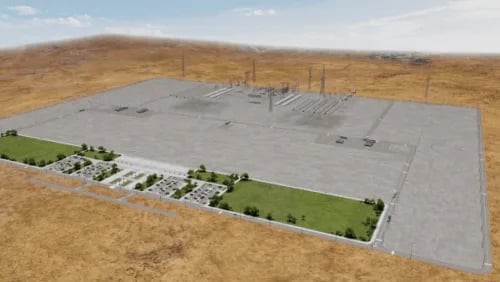
Building an AI factory digital twin requires developers to bring site plans, equipment assets, and engineering requirements into a consistent model that teams can inspect, revise, and prepare for simulation. Connecting these inputs into an editable workflow helps teams explore design alternatives and incorporate engineering feedback as the design evolves.
The NVIDIA Omniverse DSX Blueprint, part of NVIDIA DSX Sim, provides reference digital twin assets, sample scripts, and workflows for developing AI factory digital twins. Built on OpenUSD and NVIDIA Omniverse libraries, the blueprint gives developers a foundation for assembling facility and equipment models with SimReady assets, and connecting them with engineering simulation tools.
Frontier AI models can help developers work with this foundation through agents and connected applications and tools, as explained in Into the Omniverse: How Developers Turn Ideas Into Simulations with Frontier AI Agents. Developers guide agents to bring together design inputs, assemble and revise OpenUSD scenes, and inspect the results. The blueprint supplies reusable assets and workflows, and the agents help developers apply and adapt them to specific design requirements (Figure 1).
This post demonstrates an agent-assisted workflow for turning reference assets, site data, and design requirements into an editable OpenUSD campus model. Developers can use this approach to explore layouts, revise equipment placement, and prepare designs for engineering review and downstream simulation. Developers connect tools and guide changes, while engineers review results to inform the next iteration.
Keep reading NVIDIA Technical Blog with Pro
This source is part of the Pro library. Unlock every premium source, AI translation and custom feeds.
Originally published on
NVIDIA Technical Blog
Keep reading






 Stripe Blog