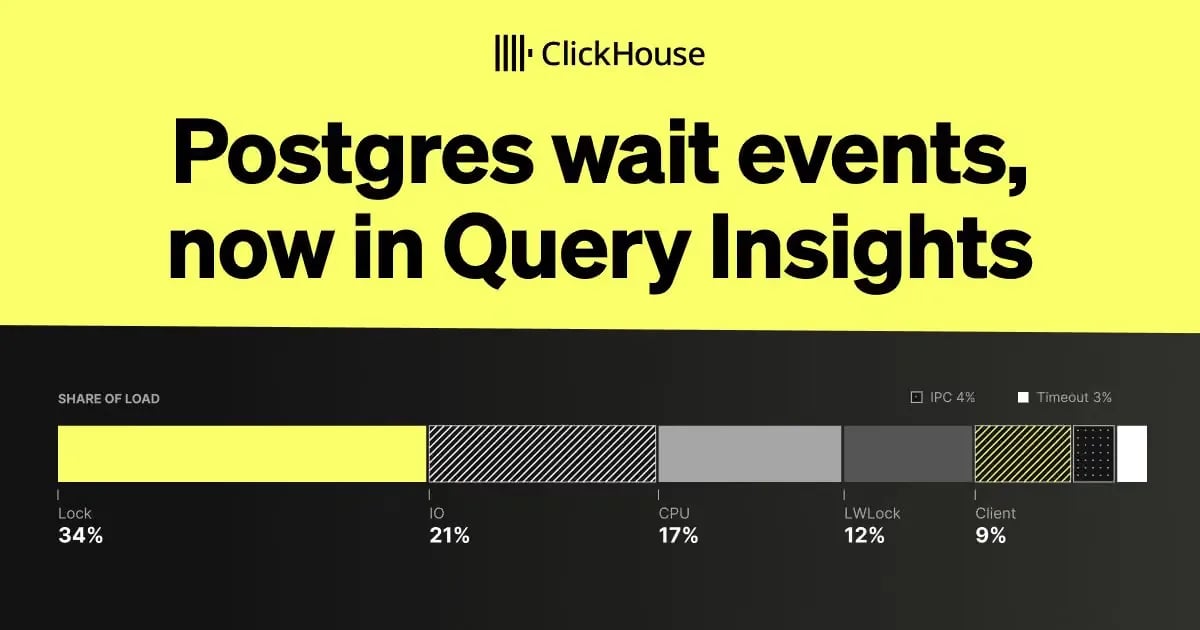
Postgres wait events, now in Query Insights
Query Insights for ClickHouse Managed Postgres now shows what active sessions are waiting on, with wait event breakdowns, blocked session and lock wait charts, and the same metrics in Prometheus.
What’s new and why it matters
We introduced Query Insights to help you find expensive queries and understand the CPU, reads, and writes behind them. But finding a slow query is only part of the picture. The database may be spending its time on disk I/O, waiting on a lock, or simply busy on CPU. Query Insights for ClickHouse Managed Postgres now includes wait event metrics, so you can see what active sessions are waiting on and how that changes over time. The breakdowns show the average number of active sessions per wait category and each category’s share of total load. Alongside your query and resource metrics, this helps you narrow down what to investigate next.
Inspect wait events and their share of load
In Query Insights, the Active sessions by wait type chart groups activity on your primary by
wait_event_type
. Each bar shows the average number of active client sessions over that interval, split into categories such as
IO
and
Lock
. For details on what each wait type and event means, see the PostgreSQL documentation.
In the chart below, lock waits account for the largest share of activity, followed by Timeout and CPU. Here, CPU means a session is active with no reported wait event; it is not a direct measurement of CPU utilization.
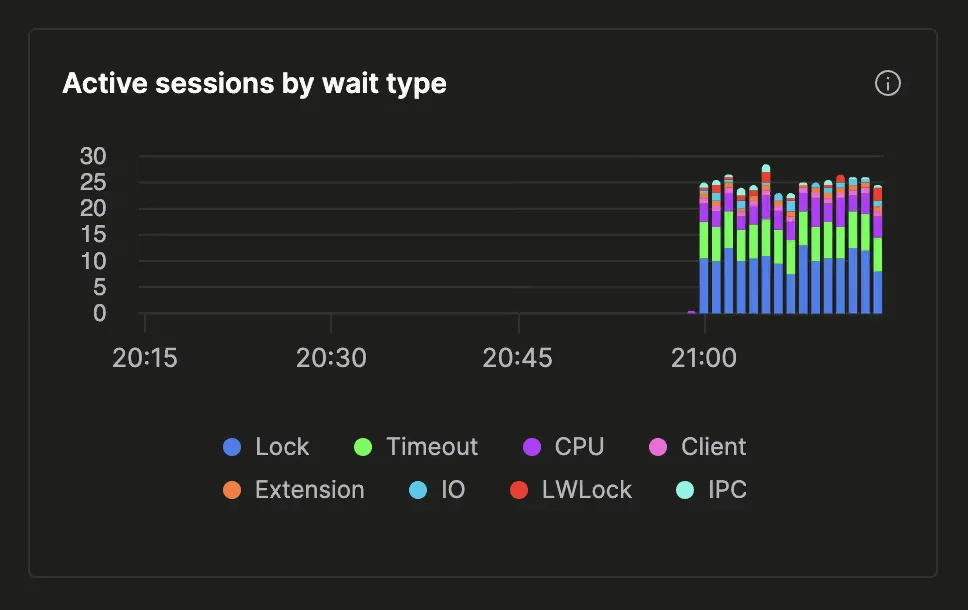
If you want a closer look, hover over any bar to see the specific events driving each wait type.
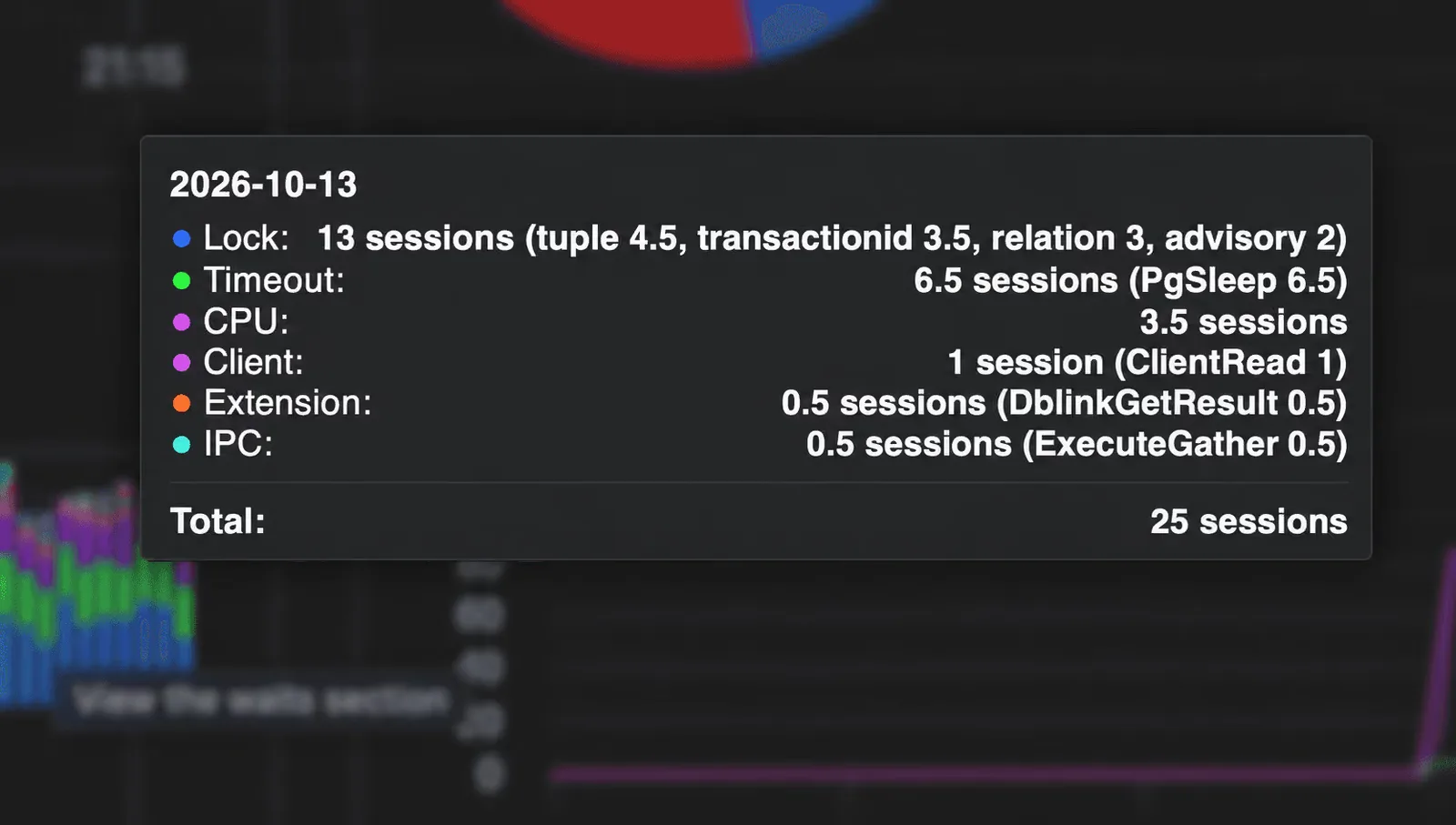
The highlighted interval has 25 average active sessions, with 13 waiting on locks. The tooltip breaks those lock waits down further: 4.5 for
tuple
, 3.5 for
transactionid
, 3 for
relation
, and 2 for
advisory
.
Click the card to open the Waits table. Here you’ll find the individual
wait_event
values, their average active sessions, and their share of the total load.
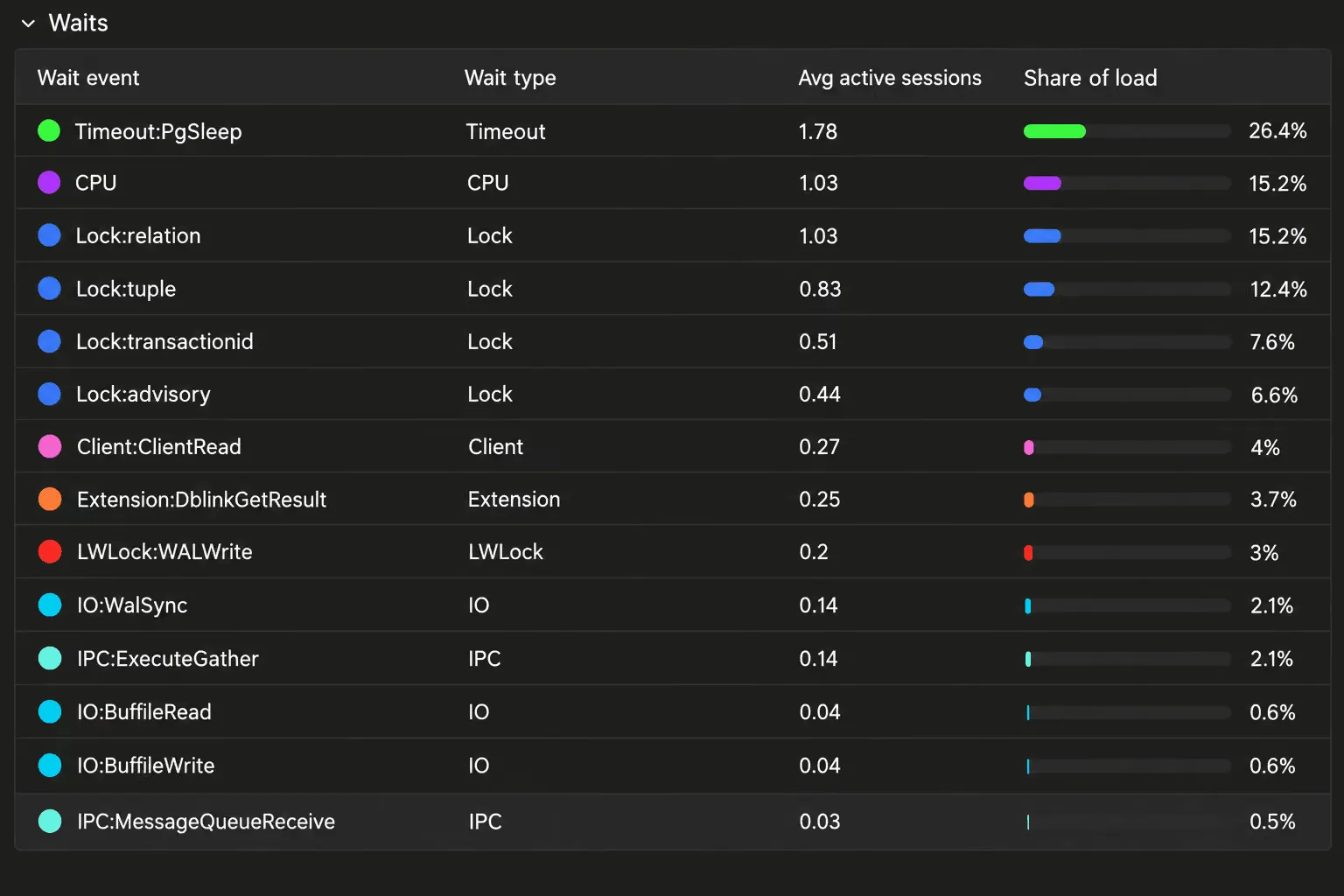
Across the selected range, the four
Lock
rows add up to about 42% of the load. Relation locks account for 15.2% and tuple locks for 12.4%, making them the largest contributors within that category.
Understand lock contention with two additional metrics
Two charts sit next to the wait breakdown. Blocked sessions show the average number of sessions waiting on locks. Lock wait time reports how long those sessions had been waiting when sampled, with p50, p95, and maximum values.
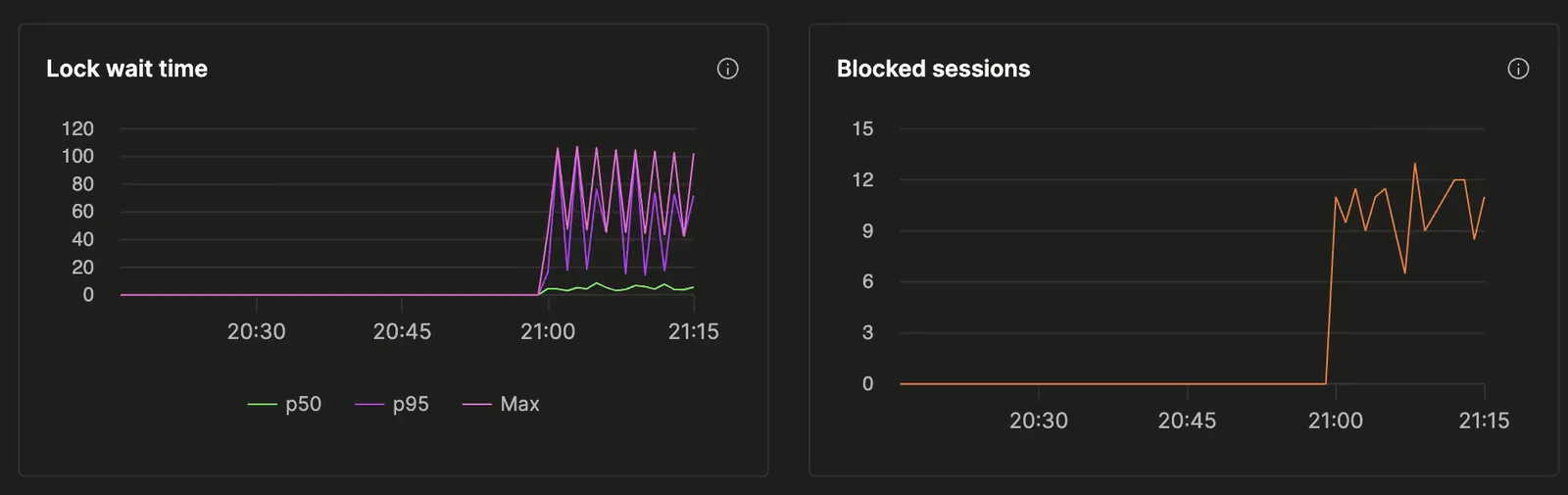
In these charts, roughly 9 to 12 sessions are blocked through much of the busy period, peaking at about 13. Maximum lock waits repeatedly rise above 100 seconds, while p50 stays below 10 seconds. Together, the charts show how many sessions are affected and how long they’ve been held up.
Monitor through Prometheus
We recently added Query Insights metrics to the Managed Postgres Prometheus endpoint. That includes query counts and total execution time for calculating throughput and average latency, as well as failed queries, rows returned or affected, buffer activity, and WAL generation. Counts are split by operation, so you can follow changes in read and write traffic.
Wait events are available through Prometheus too. You can graph active sessions by wait event and maximum lock wait time next to your query metrics in Grafana, and alert on persistent lock contention.
The Prometheus integration guide covers authentication and scrape configuration. This allows you to build custom dashboards and alerting pipelines that fit your needs.
Investigate with ClickHouse Agents
ClickHouse Agents can look at wait events alongside slow query patterns and service metrics to help you decide what to investigate. Try asking:
What is my Postgres database waiting on, and what should I investigate next?
Here is an example of ClickHouse Agents debugging wait events:
Give it a try
You’ll find the new charts in Query Insights in your Managed Postgres service. See the documentation for more on Query Insights.
Try it out, and let us know what you think.
Get started with ClickHouse Managed Postgres today
Interested in seeing how ClickHouse Managed Postgres works on your data? Get started with ClickHouse Cloud in minutes and receive $300 in free credits.
منتشرشده در
ClickHouse Blog
ادامه مطالعه




 Netflix TechBlog