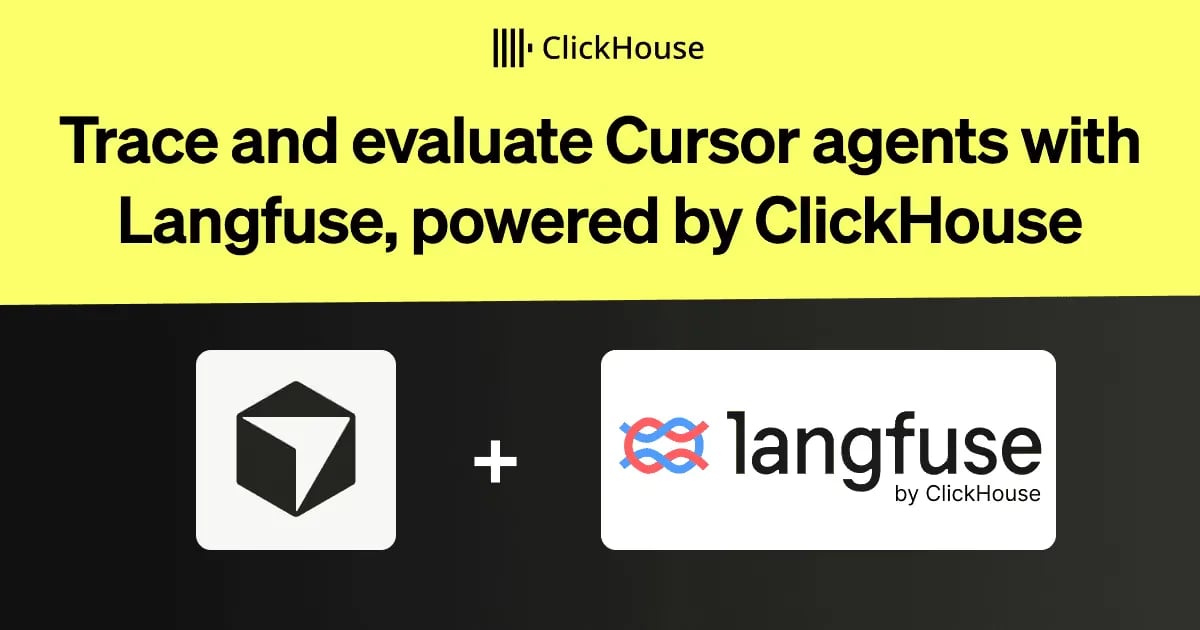
Trace and evaluate Cursor agents with Langfuse, powered by ClickHouse
Connect Cursor to Langfuse to trace every agent turn, pinpoint expensive model and tool calls, and use evaluations to confirm a fix actually helps, with ClickHouse powering the analytics underneath.
A code diff shows what changed. Improving the agent also means understanding which model calls and tools produced it, where time went, and what the run cost is.
Langfuse, our open-source platform for agent observability and evaluation, helps you inspect and improve that work. The Langfuse Observability plugin captures Cursor’s model calls, tool executions, and token usage as traces. ClickHouse powers the analytics behind those traces, so you can investigate individual runs and compare patterns across your team.
In this guide, we’ll connect Cursor to Langfuse, inspect an expensive turn, and use evaluations to check whether a change improves the result.
How ClickHouse powers Langfuse analytics
Agent observability produces analytical data: model calls, tool executions, token usage, latency, and evaluation scores. ClickHouse is the analytical database behind Langfuse, supporting both the investigation of individual runs and analysis across a team.
In Langfuse v4, a wide ClickHouse observations table keeps user, session, tags, and environment alongside each observation. Langfuse dashboards and the Metrics API v2 use these observations to aggregate recorded usage, cost, and latency. Keeping the trace context with each observation avoids joining separate trace and observation tables for these queries.
For a Cursor team, this means you can start with a cost trend, find the turns behind it, and inspect the model and tool activity that needs attention.
Set up the Langfuse plugin in Cursor
- Create a project in Langfuse Cloud or your self-hosted instance and copy its API keys.
- Install Langfuse Observability from the Cursor Marketplace: open Customize, go to Plugins, choose Browse Marketplace, and search for it.
- Put your keys in
~/.cursor/langfuse.json:
      {
  "publicKey": "pk-lf-...",
  "secretKey": "sk-lf-...",
  "baseUrl": "https://cloud.langfuse.com"
}
This example uses the EU region. For other regions or a self-hosted instance, use the corresponding base URL from the integration docs.
- Restart Cursor and send a prompt to the agent.
The plugin is open source under the MIT license. It sends prompts, assistant messages, tool inputs and outputs, token usage, and other trace metadata to your Langfuse project. Capture of file-read contents is off by default; enabling it requires both
captureFileContent
and
captureToolOutput
. The plugin masks your Langfuse keys and, by default, logs upload failures while keeping Cursor running. Set
enabled
to
false
in the config to disable it. The integration docs cover every option, the Cursor CLI, and Cloud Agents.
What a Cursor turn looks like in Langfuse
The plugin runs on Cursor hooks and creates one trace per prompt, named
Cursor Turn
. Inside it you find:
- An
LLMobservation for every assistant message, with the conversation history as input and the text, thinking, and requested tool calls as output. - A tool observation for every tool the agent runs, such as
Shell,Read,StrReplace, and MCP tools, with input, output, duration, and error status. - Nested
Cursor Subagentobservations for subagents, and an event when Cursor compacts the context.
All turns of one conversation are grouped into a session, and the user defaults to the signed-in Cursor account’s email unless you override it.
Cursor reports token usage once per turn, not per model call. The plugin records it on the last
LLM
observation of the turn, so read the cost from the trace total.
Track cost and usage across a team
Every trace carries the Cursor user, your tags, and an environment label, so you can keep coding-agent traces apart from production traces. Custom dashboards chart cost and usage by user, model, and time, and the same filters apply to the trace table. Models without a price definition display tokens but no cost; you can add a custom model definition for them. For rolling this out across teams, see Track and optimize coding agent usage.
Find expensive turns and check the fix
Take a team that rolled Cursor out to all of its engineers. After a week of traces, the cost dashboard shows spend by developer and model, and a handful of turns stand out as expensive.
1. The team opens those turns. Several have the same shape: the agent reads the same files repeatedly, and a shell command fails and is retried until it succeeds.
2. The team turns the repeated context into a project rule that says where the relevant code lives and which build command to run.
3. To check that the rule helps, the team builds a dataset from prompts in those real sessions. An evaluator assesses whether each task was completed, and the comparison view shows cost and latency alongside those scores. The rule ships if the cost drops and completion holds.
You can also let Cursor do the search. The Langfuse plugin adds the Langfuse skill, which gives the agent access to your traces, prompts, datasets, and scores through the Langfuse CLI. Install it next to Langfuse Observability, then ask: "List this week's most expensive Cursor turns and what they have in common."
After the rollout, the dashboard from the first step shows whether the cost per turn came down.
Use the same loop on the AI application you build with Cursor
Cursor edits your application's prompts, models, and tools, too, and each change can be an experiment. Save real cases as a dataset, define scores with LLM-as-a-judge, code evaluators, or human review, run the application on the dataset, and compare the run with your current version before you merge. In CI, the
langfuse/experiment-action
GitHub Action fails the job when a score violates your threshold.
After you deploy, online evaluation scores a sample of production traces with the same evaluators. Traces that score badly go back into the dataset, so the next experiment covers them. The AI engineering loop in the Langfuse Academy describes the full cycle.
Cursor can set this up for you. With the Langfuse skill installed, prompt the agent:
Set up offline evaluation for this application with Langfuse.
Get started
Create a Langfuse Cloud project or use your self-hosted instance, then follow the setup above to capture your first Cursor session. Inspect an expensive turn, update the relevant instruction, and evaluate the result before rolling it out.
If your application uses ClickHouse, the ClickHouse plugin for Cursor gives the agent guidance on schema design, query optimization, and data ingestion. Ask Cursor to review a table schema or check SQL against ClickHouse best practices.
Get started today
Interested in seeing how ClickHouse works on your data? Get started with ClickHouse Cloud in minutes and receive $300 in free credits.
منتشرشده در
ClickHouse Blog
ادامه مطالعه

 GitHub Engineering