Multi‑Ratio Video Resizing for Mobile Feed and Marketing
Serdar Cellat , Yuchen Xie , Bernadette Marcu , Blaid Burgess , Cody Jarrett , Carlos Pereira , Qing Shi , Samuel Carvajal , Manuel Pamplona , Dorothy Jung , Feiko Ritsema , Benjamin Klein , Alex Woo , Eugene Lok , Anna Pulido , Rebecka Swe , Sanford Holsapple Introduction Clips in the Netflix mobile app. At Netflix,…
Serdar Cellat, Yuchen Xie, Bernadette Marcu, Blaid Burgess, Cody Jarrett, Carlos Pereira, Qing Shi, Samuel Carvajal, Manuel Pamplona, Dorothy Jung, Feiko Ritsema, Benjamin Klein, Alex Woo, Eugene Lok, Anna Pulido, Rebecka Swe, Sanford Holsapple
Introduction
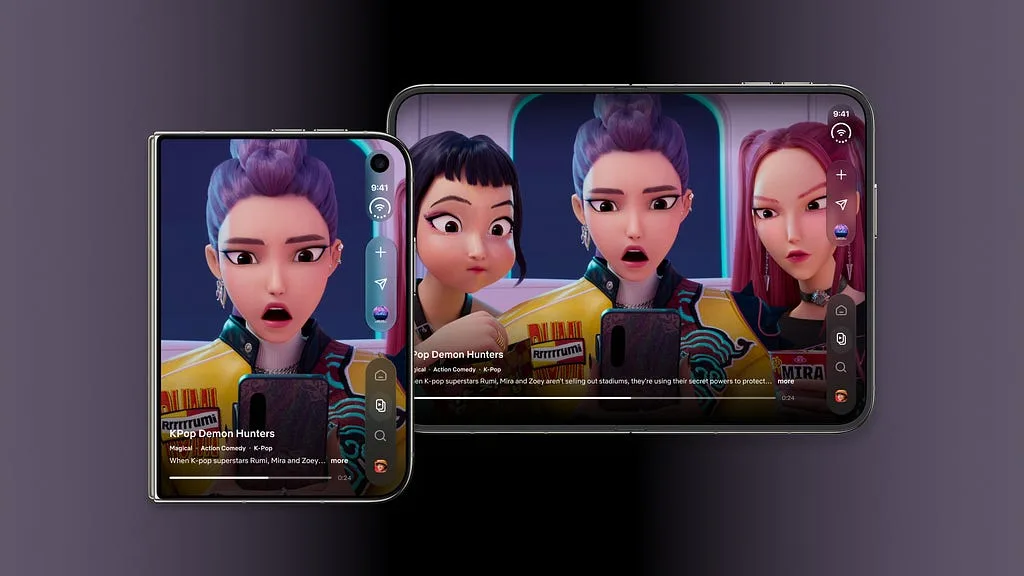
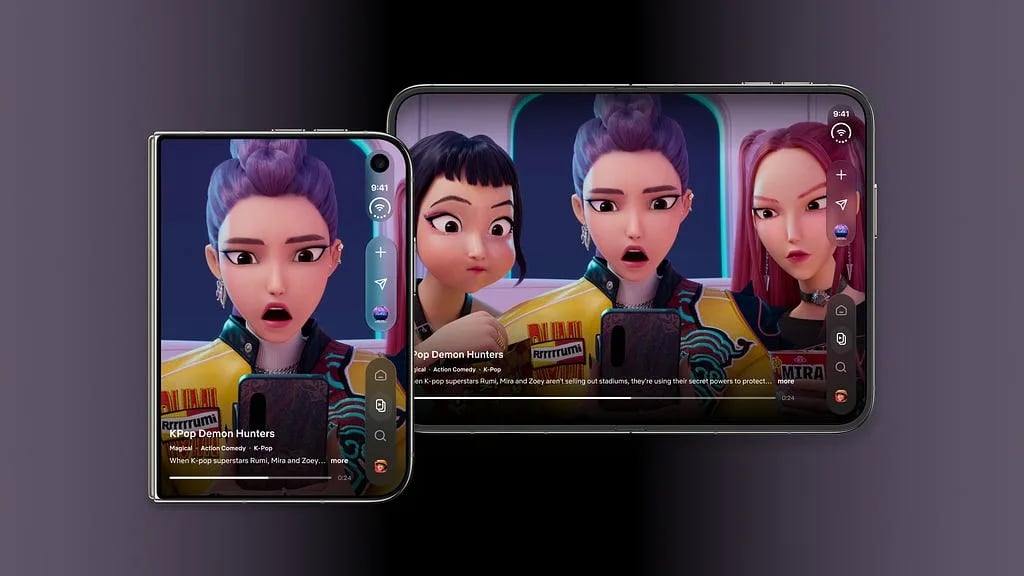
Clips in the Netflix mobile app.
At Netflix, a crucial part of our mission is ensuring our content looks stunning on any device. Vertical formats are increasingly important for Netflix, as we have 1.2B followers across our social media accounts, and have recently rolled out Clips, our vertical video feed in the Netflix mobile app. Traditionally, creating vertical assets meant editors and producers manually reframed horizontal videos in editing tools, a process that doesn’t scale as our catalog and use cases grow. To support both our in‑app feed and external marketing campaigns at scale, we built an automated multi‑ratio video cropping system, tightly integrated into our internal production tools, that can generate high‑quality vertical and other aspect‑ratio variants with minimal manual effort.
Our Video Resizing Approach
Converting cinematic 16:9 footage into mobile‑friendly aspect ratios takes more than a simple center crop. Filmmaking often involves dynamic character blocking and complex camera movement. We need an intelligent “virtual camera” that can follow the key action, respond to how each scene is composed, and produce crops that feel as intentional as the original shot.
We address this challenge by framing video resizing as a tracking and temporal optimization problem. Our pipeline processes each asset in three main stages, designed to produce 9:16, 4:5, and 1:1 crops in a single pass, without incurring additional computational overhead.
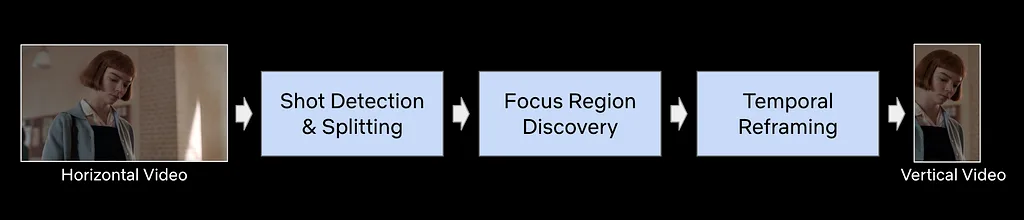
An overview of the three-stage process converting horizontal footage into mobile aspect ratios.
Shot Detection and Splitting
First, we segment the video into atomic shots using a neural‑network–based shot boundary detector. In many cases, shots contain multiple characters conversing on opposite sides of the frame. To better handle these scenarios, we use an Active Speaker Detection based approach to logically split a single continuous shot into multiple sub‑shots. This allows our virtual camera to cut and re-focus on different speakers as the conversation flows. Our Active Speaker Detection leverages an internal face detector and LipFlap to reliably identify active speakers in both live‑action and animated titles.
Shot splitting via Active Speaker Detection. The magenta box represents the dynamic vertical crop.
Focus Region Discovery
Once shots and sub‑shots are defined, we identify the most important region in each frame. We combine face detections with visual saliency maps to filter and prioritize the faces that should be in focus. In scenes with multiple characters, we further rank faces using signals such as active speaker status and relative size. Our model aggregates these cues with shot‑level content understanding to establish a continuous “focus region” for the virtual camera.
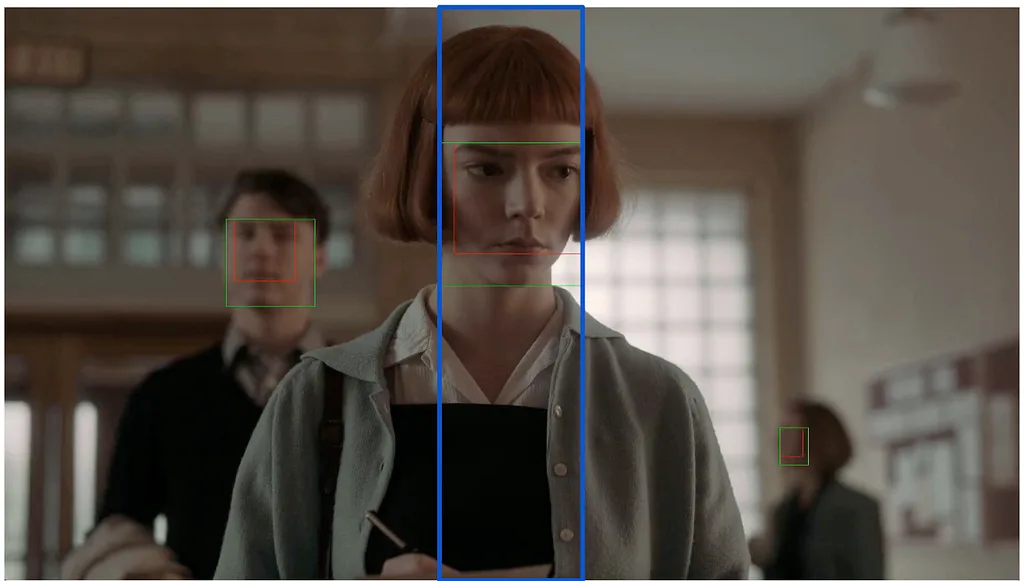
Blue box shows the focus region around the primary character for reframing.
Temporal Reframing
Once we’ve established the focus region, the next challenge is deciding how the crop should move over time. Tracking the focus region on a strict frame-by-frame basis would produce a shaky, distracting viewing experience, so we apply a set of heuristics that consider how the focus region moves over the course of a shot. When its displacement is small, we lock a static crop window that consistently covers the relevant area. When there is significant motion, we compute a dynamic tracking window and smooth its path so that any panning feels intentional and cinematic.
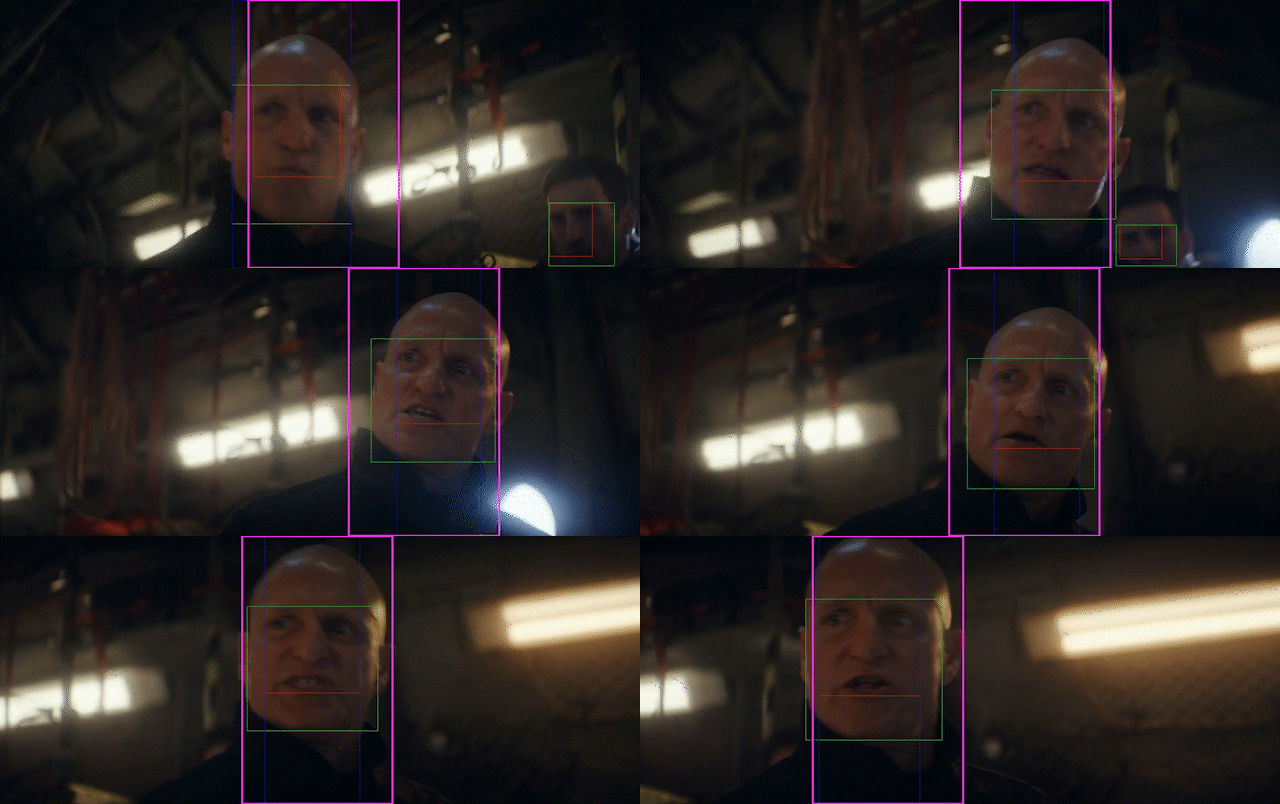
The vertical crop (magenta box) follows the character’s movement with a smooth panning path.
Tooling and Workflow Integration
We integrated the resizing algorithm directly into our internal Clips tool, so editors and producers can access it as part of their existing workflow. The interface enables them to automatically generate multiple aspect‑ratio versions of a clip with smart reframing. A unified in‑app module provides intuitive shot‑reframing controls, allowing users to review the algorithm’s crops, and quickly make targeted adjustments where needed.
For more complex shots or custom campaigns, producers can export the resizing parameters as XML and load them directly into external timeline editors such as Adobe Premiere. This allows agencies and external partners to start from the algorithm’s framing decisions instead of recreating crops manually or relying on tools like Premiere’s Auto Reframe. In our internal test, our resizing algorithm outperforms Auto Reframe on a curated evaluation set, so the XML export effectively brings those higher‑quality crops into external workflows. By bringing automated resizing and manual refinement into a single place, this pipeline significantly reduces production time and manual effort while preserving creative control.
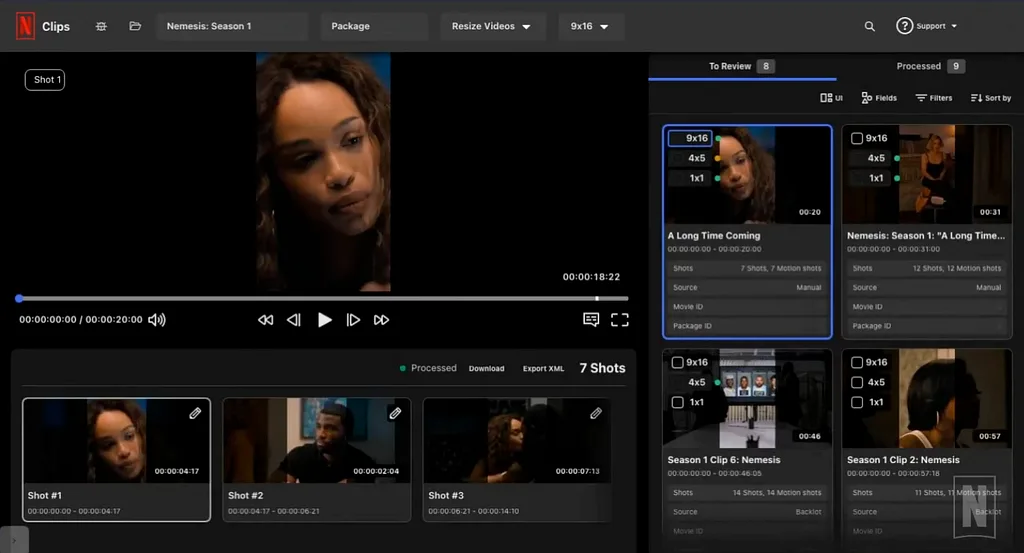
Video resizing interface with reframing controls
Conclusion
Our work on multi-ratio video resizing is one step in a broader effort to make content creation more scalable, without compromising creative intent. By pairing algorithm-driven reframing with editor-friendly tools, we’ve reduced the time teams spend on repetitive resizing tasks and unlocked faster experimentation across mobile feeds and marketing campaigns. As we continue to broaden these capabilities to new formats and workflows, our goal remains the same: to give creatives more time to tell great stories, and to deliver a consistently high-quality viewing experience for our members and fans.
Multi‑Ratio Video Resizing for Mobile Feed and Marketing was originally published in Netflix TechBlog on Medium, where people are continuing the conversation by highlighting and responding to this story.

منتشرشده در
Netflix TechBlog
ادامه مطالعه

 Netflix TechBlog
 Netflix TechBlog
 Netflix TechBlog