Where Tailscale VPN ends and Tailscale PAM begins
Tailscale VPN locks the door. PAM logs who makes it through.
One of your jobs as a new Tailscalar (yes, this is how we spell it) is to learn as much as you can about all the company’s products and how they work. Tailscale’s VPN wasn’t too hard for me to wrap my head around—it’s not a traditional VPN, but it uses VPN technology, and I had already run into it as I poked at homelab experiments. The Aperture AI platform also wasn’t too hard to understand—one tool to unify and control access to a bunch of disparate large language models from different providers (and, more recently, to help tame homelabs).
Tailscale PAM (or “privileged access management”) was harder to understand, at least at first. At a very high level, both Tailscale PAM and our VPN talk about a lot of the same things: using identity to establish secure connections from any network, robust access controls to ensure no one can access anything they’re not supposed to, and even the ability to manage and log SSH sessions for later evaluation.
Doesn’t a VPN also offer management of privileged access?
To attempt a quick summary: Tailscale VPN is there to secure connections between users, devices, and apps. Tailscale PAM makes infrastructure access easier to set up and administer, and make logging in seamless for your users. It eliminates the need for distributing long-lived, app-specific credentials, and gives you more visibility into who did what using what machine and when.
OK, so what is PAM?
Tailscale’s VPN creates a peer-to-peer mesh overlay network called a tailnet. This is a fancy way of saying that it creates a virtual network that can (1) lay over top of and span many physical networks and (2) connect one device directly to another device without the data passing through some kind of server or other mediator in the middle, creating a point-to-point “mesh” of connections.
We prefer this VPN setup to a traditional “hub-and-spoke” VPN with a server in the middle for all kinds of performance, privacy, and ease-of-use reasons. We detail these exhaustively in our “What is Tailscale?” post.
The first thing to know about Tailscale PAM is that it requires you to configure Tailscale PAM connectors. These are devices (or servers, or containers, or VMs) running the Tailscale PAM connector software, sitting on the same network as the thing you want to access, whether that’s a physical network or a VLAN or something else. You need at least one for every network you want to reach. Each of your devices communicates with the connector via a WireGuard®-encrypted tunnel, and then the connector mediates your access from there.
Wait, isn’t this just going back to the same kind of hub-and-spoke model that we’ve complained about? Sort of. We have made it trivial to add multiple Tailscale PAM connectors per network for redundancy and security reasons, so your spokes aren’t reliant on a single hub. The difference is in the additional features that a Tailscale PAM connector enables.
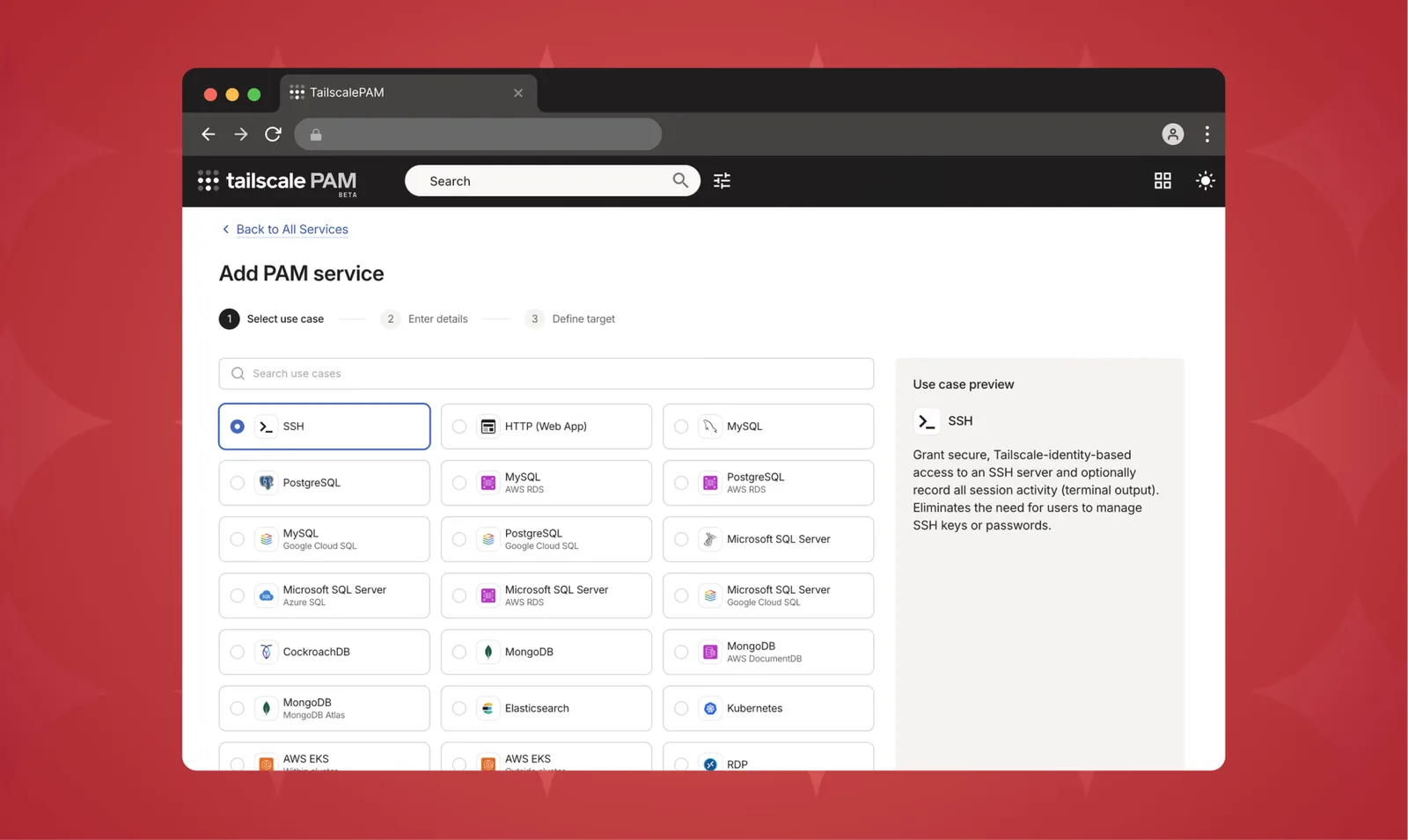
Frictionless connections
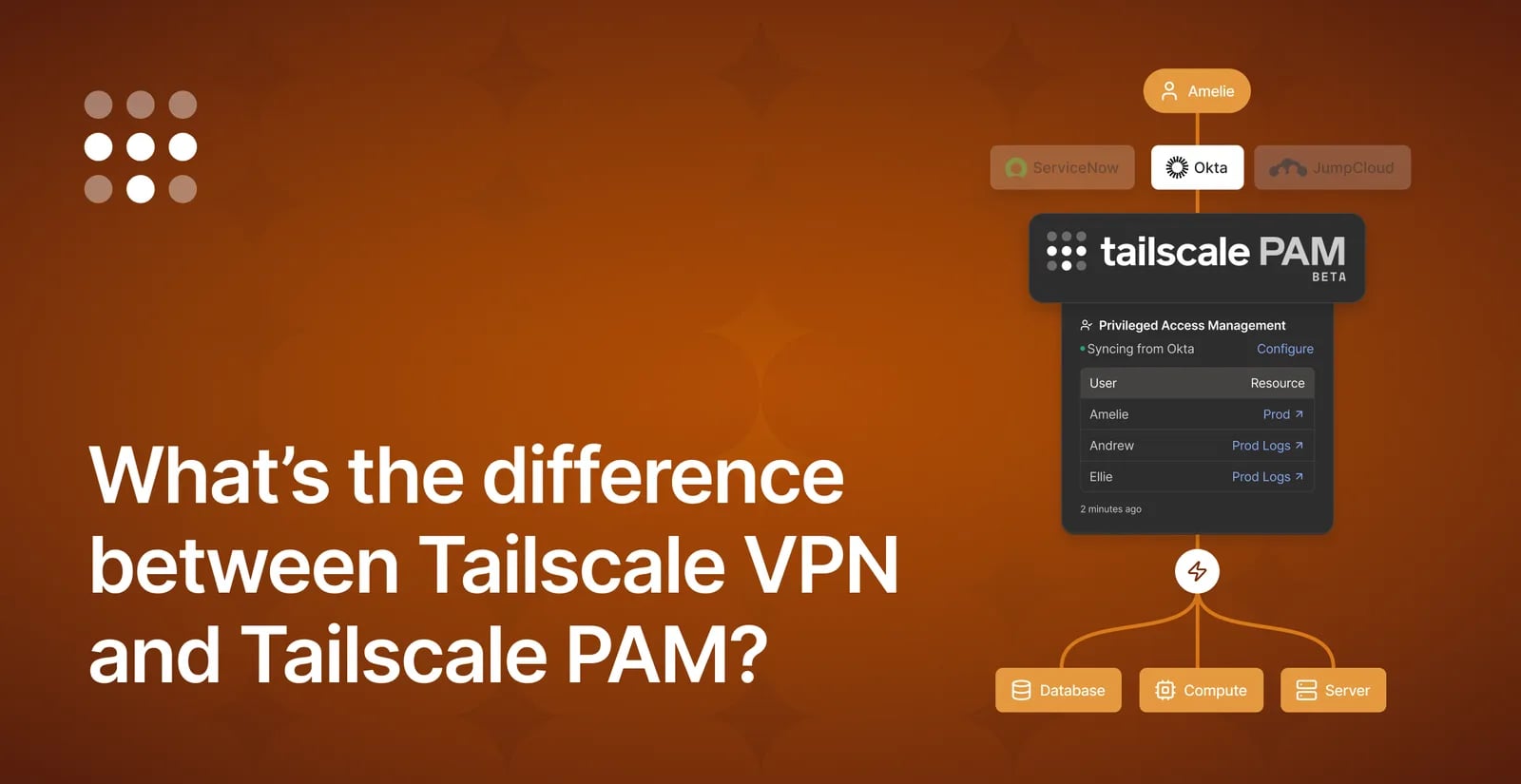
Tailscale’s VPN already uses your identity—whatever credentials you use to sign in—to give you access to tailnets. Tailscale’s VPN uses identity to control exactly which users and devices on those tailnets you can communicate with, using grants and ACLs. Tailscale PAM uses the same identity layer, and the same admin console, to go one step further. Using the Tailscale PAM Connector, administrators can control access to specific services and applications, including SSH, multiple flavors of databases, Kubernetes clusters, Remote Desktop sessions, and web apps.
Tailscale PAM also improves on manually setting up Tailscale Services or hand-configuring tags and grants in the admin console. For starters, there’s no need to run the Tailscale client software on every server you want to provide access to.
Once you’re set up with PAM Connectors, Tailscale PAM has a built-in list of common PAM services to choose from, with default ports filled out. It approves access in real time, checking every single connection from every single user every time it happens. And Tailscale PAM can set more granular permissions for specific resources—for example, allowing a user to add to a certain part of a database, while blocking them from deleting any existing data.
And the connector isn’t just there to keep people out; Tailscale PAM makes it easier to let people in, too. The Tailscale PAM connector can handle credential injection and authentication tokens for services, which means that if a database or another service has its own password, you no longer need to share that with everyone who needs access. If the credentials for that database need to be changed, you can change them in the admin console (or an external secrets manager) without having to redistribute the credentials or interrupt anyone’s workflows.
If your users have the Tailscale client installed, the client can even open and authenticate locally installed applications, so there’s no need for users to change the tools they’re comfortable with just so they can access a Tailscale PAM service.
But because the Tailscale PAM connector is on the same network as the service you’re reaching, you don’t need to install a Tailscale client directly on every client device. The connector handles incoming connections, and clients can access services through a browser, if you’ve configured it that way. They’ll still need to sign in so that their identity can be verified, but if they can’t (or don’t want to) install client software, it isn’t required.
Adherence to the “principle of least privilege” means it’s easy to extend temporary access to people who need it, when they need it. If you update a server once a month but it shouldn’t be accessed otherwise, or if you’ve brought in a contractor for a one-off project, PAM gives you some extra flexibility around providing access.
Records kept
Using Tailscale PAM to simplify access is a great feature in and of itself—you’ll no longer need to wonder who still has that old database password written on the secret Post-It in their desk. But the hero feature of Tailscale PAM is probably the paper trail. Trying to reconstruct exactly what happened when you’re troubleshooting a stubborn error or trying to recover from a security incident is stressful and chaotic at the best of times—adding uncertainty and mystery on top of that doesn’t help.
At a minimum, Tailscale PAM sees and logs user identity, the user’s IP address, the user’s IP-derived geographic location, information about the user’s device, when the connection happened, and how long the connection lasted. This is already a whole lot more specific than you can get when a dozen people are all sharing the same database credentials.

For many services, you can extend past these into the what with optional session recording. For database sessions, the Tailscale PAM connector records a query log, including any error messages. For SSH sessions, the text contents and a video replay are available. You can also record HTTP, Kubernetes, and S3 sessions.
Recordings are generally saved and stored in Tailscale-managed storage, but for those wanting more control over their data, we support storing recordings in Amazon S3 storage in our Premium plan. This can make it easier to access and audit this data with third-party tools.
That’s the power of PAM
If the difference between Tailscale VPN and Tailscale PAM still isn’t making sense to you, think of it this way: Tailscale PAM is the security camera for a door you’ve locked using Tailscale VPN. Tailscale VPN gets you the connection; Tailscale PAM makes that connection even more useful and flexible. If Tailscale VPN is the base game, Tailscale PAM is the well-regarded expansion pack.
These tools are designed to complement each other and work together. As of the Tailscale PAM Beta release, managing PAM features is handled in the same Tailscale admin console you use for VPN connections.
منتشرشده در
Tailscale Blog
ادامه مطالعه