ObservabilityCON 2026: A guide to all the announcements from Grafana Labs
Today at ObservabilityCON 2026 in San Francisco, we unveiled a range of new Grafana Cloud capabilities designed to reshape cloud economics, bring richer context and deeper visibility across your systems and end user experiences, and help teams move toward autonomous operations. Check out the keynote to learn more…
%3Aquality(90)%2F&w=3840&q=75) %3Aquality(90)%2F&w=3840&q=75)
ObservabilityCON 2026: A guide to all the announcements from Grafana Labs

Today at ObservabilityCON 2026 in San Francisco, we unveiled a range of new Grafana Cloud capabilities designed to reshape cloud economics, bring richer context and deeper visibility across your systems and end-user experiences, and help teams move toward autonomous operations.
Check out the keynote to learn more about the latest updates to the open agentic observability cloud, and read on for a quick recap of all the news from ObservabilityCON 2026.
%3Aquality(90)%2F&w=3840&q=75)
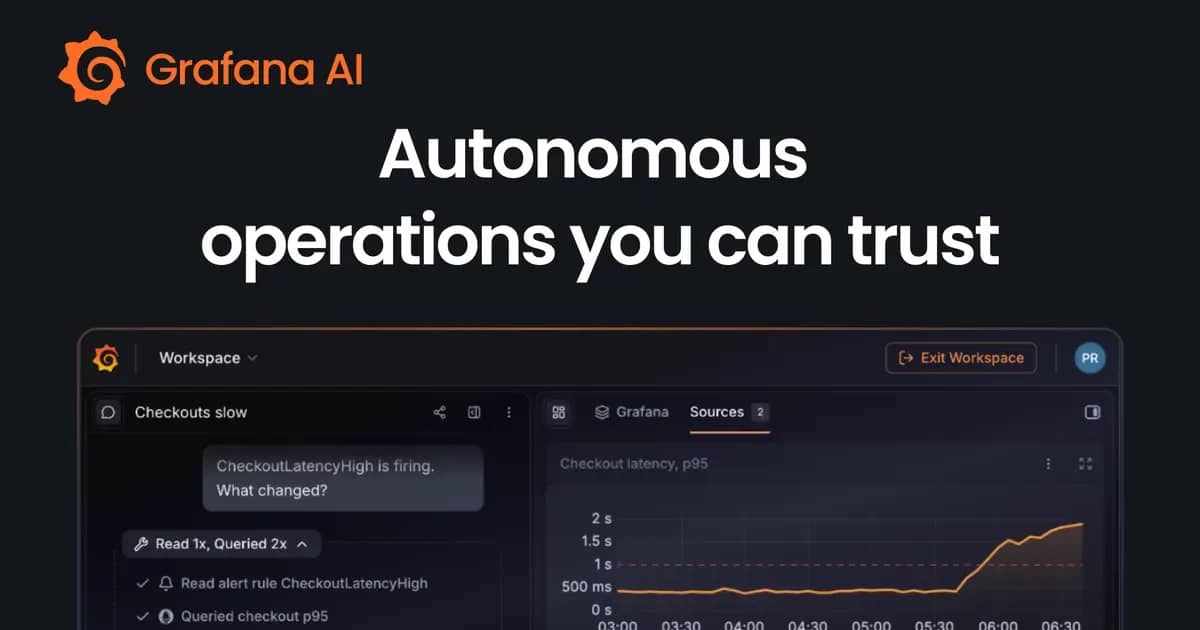
Autonomous operations with the help of AI
With Grafana Assistant in Grafana Cloud, you can bring more of your operational tasks together in one place so you can resolve incidents faster and get back to building. And you're doing it with AI features that automate much of the undifferentiated heavy lifting while still keeping you in control.
Assistant Investigations, generally available since late July, lets you run longer, deeper investigations that can start automatically from an alert or incident, and teams can run them from the platform, Slack, the Grafana Cloud MCP server, or gcx.
And today we're adding new AI features to help you take your automation even further:
- Assistant Watchers (now generally available) are always-on agents that detect changes not captured by predefined alert rules. You describe what to monitor in plain language and select the relevant data sources. Your watcher then establishes a baseline from historical telemetry patterns and surfaces findings when those patterns change.
- Grafana Managed Sandboxes (public preview) gives you a controlled cloud environment to ask questions about source code, make changes, and prepare pull requests from conversations in Grafana Cloud. It uses context from your repository code and live telemetry to propose potential fixes within a sandbox environment that a person on your team can then review and approve.
- Grafana Pages (public preview) lets you build visualizations beyond any fixed constraints, making them closer to an app than a dashboard. You describe what you need, and Assistant builds a page in the canvas—all without you having to write any code. Existing visualization components still work, and Pages supplement them as the next evolution of Grafana.
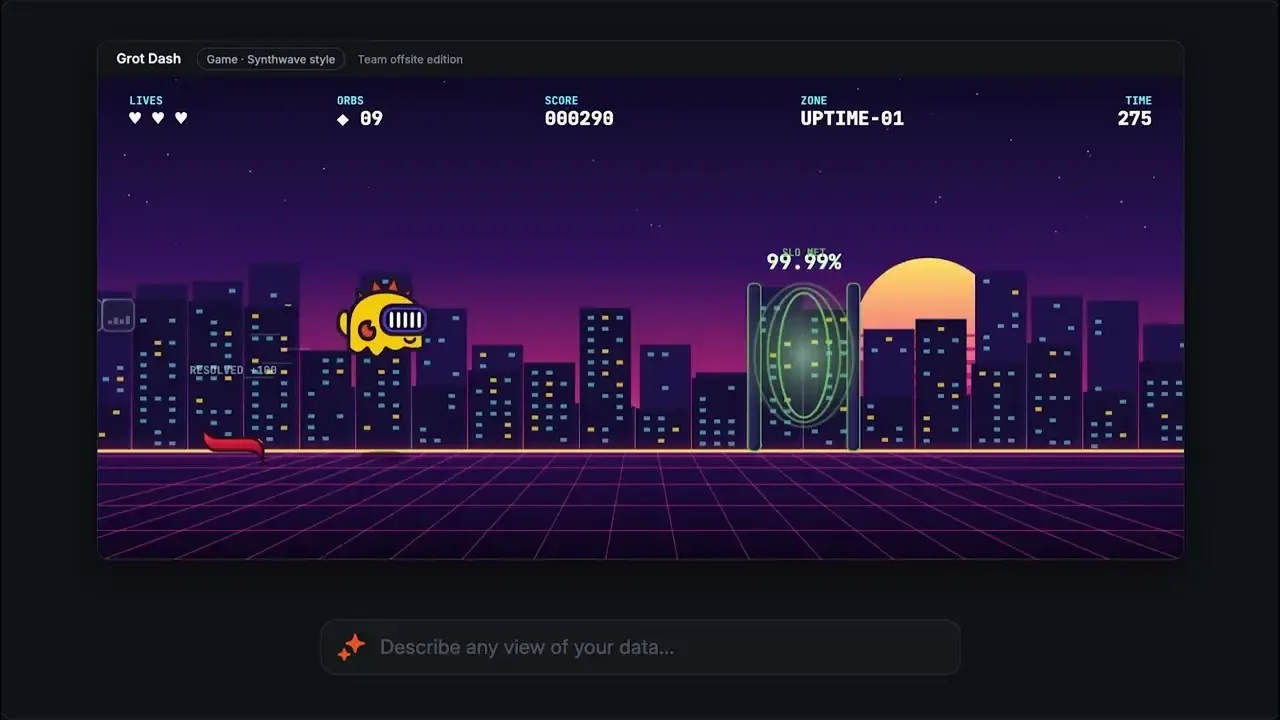
With Grafana Cloud, you decide which parts of your operations you want to handle manually and which parts you want to hand off to Assistant.
To learn more about how you can get the most out of Grafana Cloud's AI capabilities, check out our blog posts on autonomous operations and Pages .
Cloud economics reimagined
In the AI era, where teams are managing more telemetry than ever, they need to be able to find the right log line in seconds. They also need to know they're only storing the telemetry that's worth paying for. That's why we're making major query performance enhancements to Grafana Cloud Logs, built on technology from our Logline acquisition, and giving you more precision with Adaptive Telemetry, so your costs scale with the value you get from your data.
Keep only the data worth paying for: Adaptive Telemetry updates
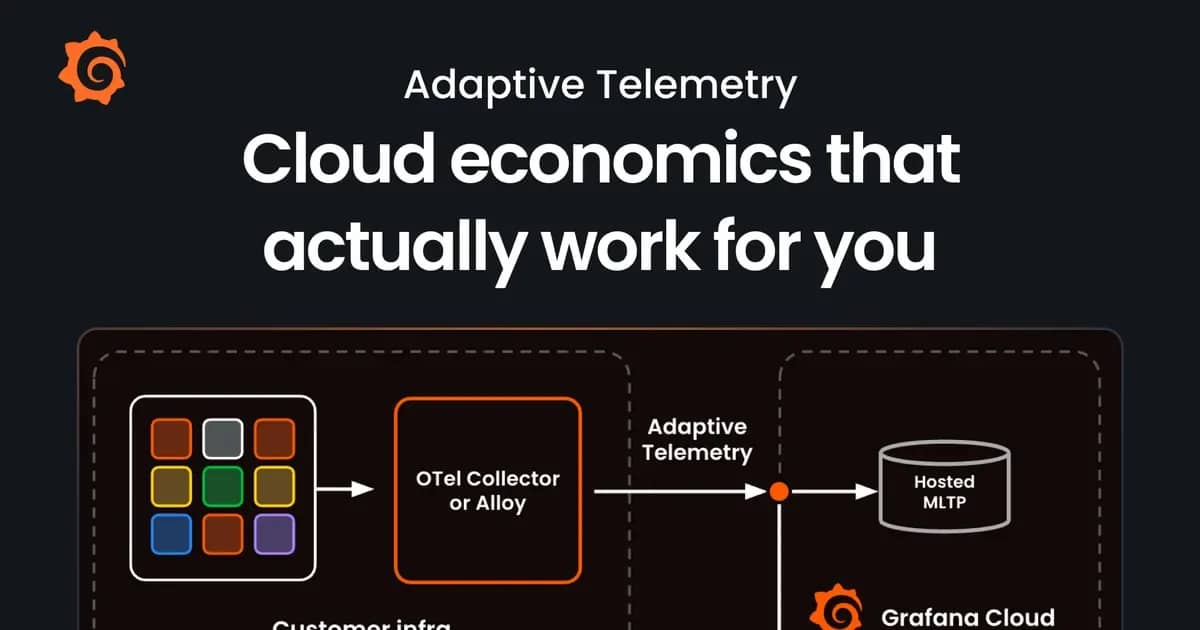
Grafana Labs’ Adaptive Telemetry suite optimizes cost across metrics, logs, traces, and profiles by recommending what to aggregate or sample, so teams keep the telemetry that matters. Customers have cut telemetry spend by 30% to 50% on average.
“Moving to Grafana Cloud and using Adaptive Telemetry cut our metrics costs enough to fund logs and traces as well," says Carl Eastman, Principal Software Engineer, Rapid7. "Our visibility went up while our costs went down, and dashboards and queries are faster and less noisy.”
New updates cover logs, metrics, and traces:
- Adaptive Metrics auto-apply (generally available)continuously applies recommendations, while existing dashboards and alerts keep working unchanged. With cost-first mode, a built-in safeguard only applies recommendations that won’t increase your total active series, so optimization never turns into a cost spike.
- Adaptive Logs Archive (public preview) routes logs to an object storage bucket you own. Get the cost savings from not putting those logs in Grafana Cloud, but make sure they still exist in low-cost storage for investigations, audits, or compliance requests. And with Adaptive Logs replay (sign up for the private preview), you can bring those logs back on demand.
- Query traces dropped by Adaptive Traces (generally available) to sample aggressively without worrying about losing the one trace you need. Retrieve any trace by ID from the last 24 hours, even if Adaptive Traces dropped it, so cost savings never come at the expense of an investigation.
- Volumetric sampling (generally available) gives you a more valuable sample than probabilistic sampling. It spreads your sampling budget fairly across services and request types, so low-volume services aren't crowded out. It also adjusts as your traffic changes. In early testing, it has delivered about 25% higher information density than probabilistic sampling at the same volume.
- Diversity sampling (generally available) stores a unique combination of attributes such as service, route, and status codes every 15 minutes. When your environment changes, you don't have to write and update custom sampling logic to catch a new service or code path.
To learn more, check out our Adaptive Telemetry blog post .
Find the log line that matters faster: Full-text search in Grafana Cloud Logs
Built on technology from Logline, which Grafana Labs acquired in April 2026, Cloud Logs customers are gaining access to faster needle-in-a-haystack queries, at no additional cost.
This full-text search capability, now generally available, helps teams find specific log lines, such as those containing request IDs or customer IDs, without scanning massive volumes of data. Faster queries can also benefit AI-driven investigations, where agents execute a large number of queries to help find root causes.
“When I ran our first query on newly submitted logs after enabling Logline, the improvement was clear,” said Timo Kirzdörfer, OpenTelemetry & Grafana Cloud Admin, DATEV eG. “We went from processing nearly a terabyte of logs in three minutes to around 100 gigabytes in under three seconds. That represents an 80-90% reduction in the volume of logs searched for newly submitted logs, and we saw the results immediately.”
To learn more about full-text search, please visit our docs .
Context is king
As your systems grow more complex, you and your AI agents need a clearer picture of system health, user experiences, and what needs attention. Our latest Grafana Cloud updates bring more of that context together, expand visibility into the end-user experience, and help streamline everyday workflows.
Full-stack observability: more connections, richer context with the Knowledge Graph
Most teams have telemetry from across their stack, but connecting those signals to understand what's happening and how it affects users isn't always easy. That’s why we're rolling out new capabilities to advance full-stack observability across Grafana Cloud.
With expanded Knowledge Graph coverage and richer operational context, people and AI agents can better understand how systems fit together to investigate issues and find root causes faster.
A more connected view of your stack
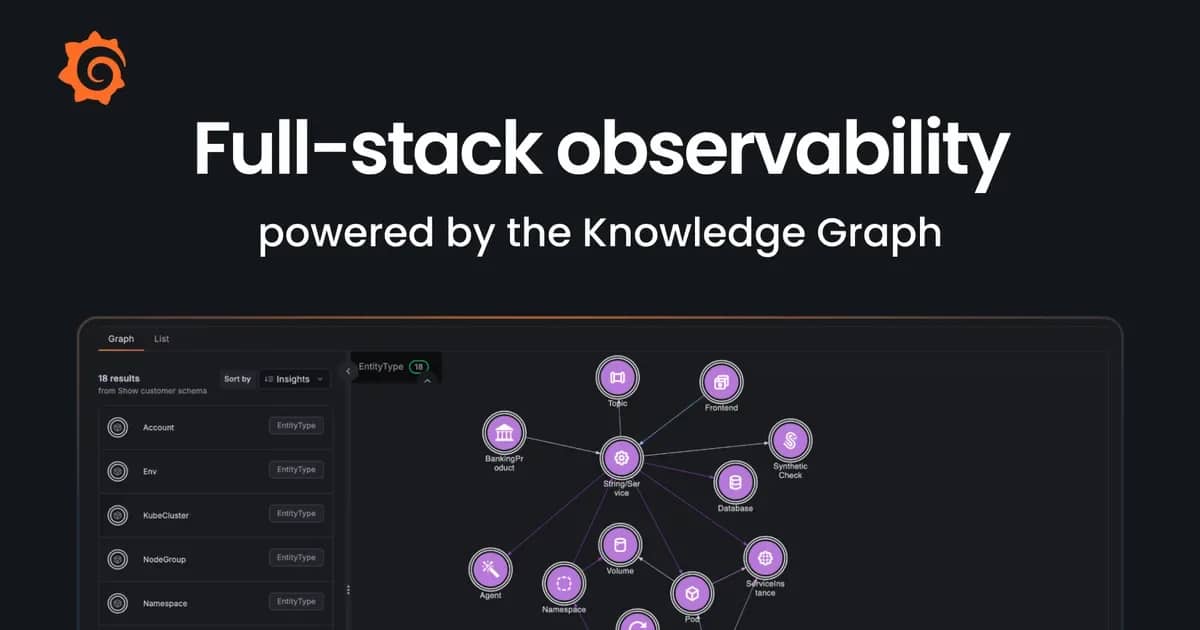
The Knowledge Graph is the runtime context layer in Grafana Cloud that brings together your system's components, their relationships, and health insights in one connected view.
%3Aquality(90)%2F&w=3840&q=75)
We're evolving the Knowledge Graph to be a platform capability, available in every stack, where you can curate context across Grafana Cloud. We’re also extending the full-stack picture, bringing more of your environment into the Knowledge Graph:
- Frontend apps (generally available): Frontend Observability maps frontend apps and user-facing signals to the services and infrastructure behind them.
- Synthetic checks (public preview): Alerts from Synthetic Monitoring checks now appear alongside service health, so you can spot issues and investigate faster.
- Additional Google Cloud, Azure, and AWS resources (generally available): Cloud Provider Observability now maps more of your Google Cloud, AWS, and Azure resources for a more complete picture of your cloud infrastructure.
- AI agents (public preview): Agent Observability maps your AI agents alongside their dependencies, so you can see how they connect to the rest of your system.
- Microsoft SQL Server databases (private preview): Database Observability now discovers SQL Server databases and maps them automatically.
Together, these updates help teams investigate issues across more of their stack, from the user experience for their frontend apps to the services, databases, and infrastructure supporting it.
More operational context for people and AI agents
Knowing how your system fits together is important, but to investigate issues effectively, you also need context that’s unique to your organization, including which teams are responsible for which services and what you've learned from past incidents.
We're bringing more of that context into the Knowledge Graph, and making it available to both engineering teams and the AI agents they work with every day:
- Service ownership (private preview): An integration with Grafana Cloud Service Center connects services to the teams who own them, on-call schedules, and runbooks, so following a dependency also shows who can act on it.
- Custom entities and relationships (generally available): Define and map custom entities and relationships that are specific to your organization's products, business processes, and more. Use Knowledge Graph mode in Grafana Assistant to help configure these connections.
- Operational context from past incidents (private preview): An integration with Grafana Cloud IRM connects actions and outcomes from previous investigations to relevant parts of your system, so you can build on what you’ve already learned.
The Knowledge Graph is also available as runtime context for AI agents (generally available). Whether you're using Grafana Assistant or bringing your own agent through gcx, this lets you and your agents work from the same shared context.
For a deeper dive on these new features, check out our full-stack observability blog post .
Digital Experience Monitoring: see where users struggle, not just when systems fail
Healthy systems don't always mean happy users. To understand how your applications are really performing, you need visibility into the end-user experience.
In Grafana Cloud, we've been building that foundation for Digital Experience Monitoring by bringing together Synthetic Monitoring and Frontend Observability, connecting proactive testing with real user signals. Together, they help teams understand not just whether an application is working as expected, but how it's actually performing for users.
At ObservabilityCON, we’re spotlighting new features to further build out Digital Experience Monitoring with Grafana Cloud, so you can further close the gap between system health and user experiences:
- Session Replay (public preview): Watch a recording of what your users actually did in your application. Correlate when something breaks to the underlying telemetry so that you know exactly what happened.
- Mobile Observability (private preview): Extend Frontend Observability to your iOS, Android, React Native, and Flutter apps using upstream native OpenTelemetry SDKs. See what mobile users experience, and connect it to the same telemetry as the rest of your stack.
- Critical User Journeys (private preview): Define which journeys matter most, so every team works from the same definition of “critical” instead of improvising its own. Explore a journey end to end and go from a drop in conversion rate to the root cause in a single view.
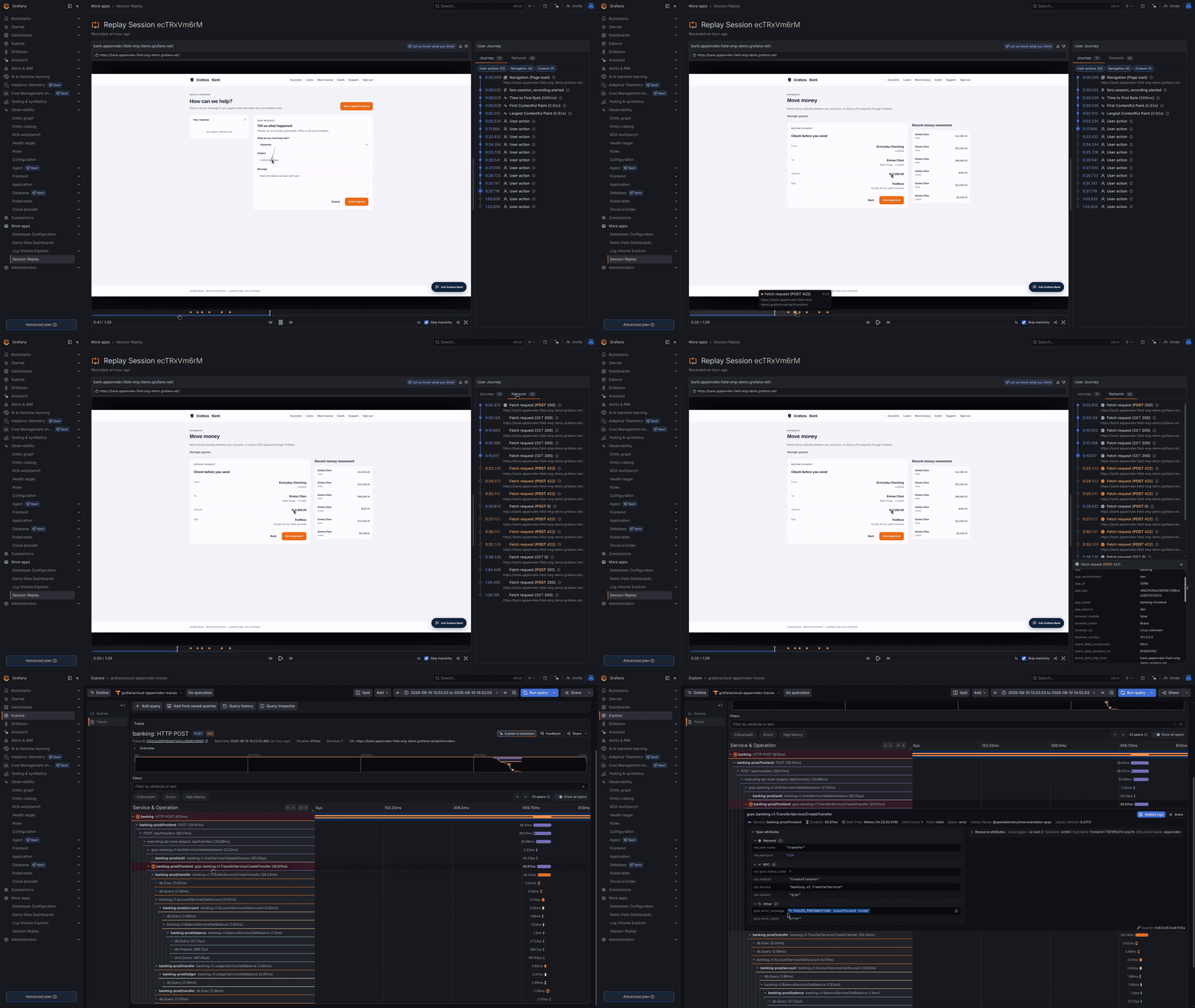
You can learn more about Digital Experience Monitoring with Grafana Cloud here , and get started today by signing up for the Grafana Cloud free tier today .
Grafana Workflows: turn processes into automated steps
Coordinating an incident response can be so time-consuming that it pulls you away from actually understanding and fixing the problem. But with Grafana Workflows (public preview), you can focus on what really matters by turning your team’s processes into automated steps.
Grafana Workflows gives you event-driven automation that connects actions across Grafana Cloud and your other tools, with Grafana Assistant available for steps that need analysis or writing. Prebuilt blueprints cover major incident kickoff, on-call handoff reports, and weekly service health summaries.
For example, a workflow can create an incident channel, page support according to your team’s rules, and ask Assistant to prepare a briefing from the available evidence. And once you define the workflow, Grafana Cloud can prepare the next engineer's handoff or gather the findings for your weekly service review. You decide what should happen consistently and where AI can help make sense of changing information.
Expand what’s possible with Grafana: the Grafana Marketplace is generally available
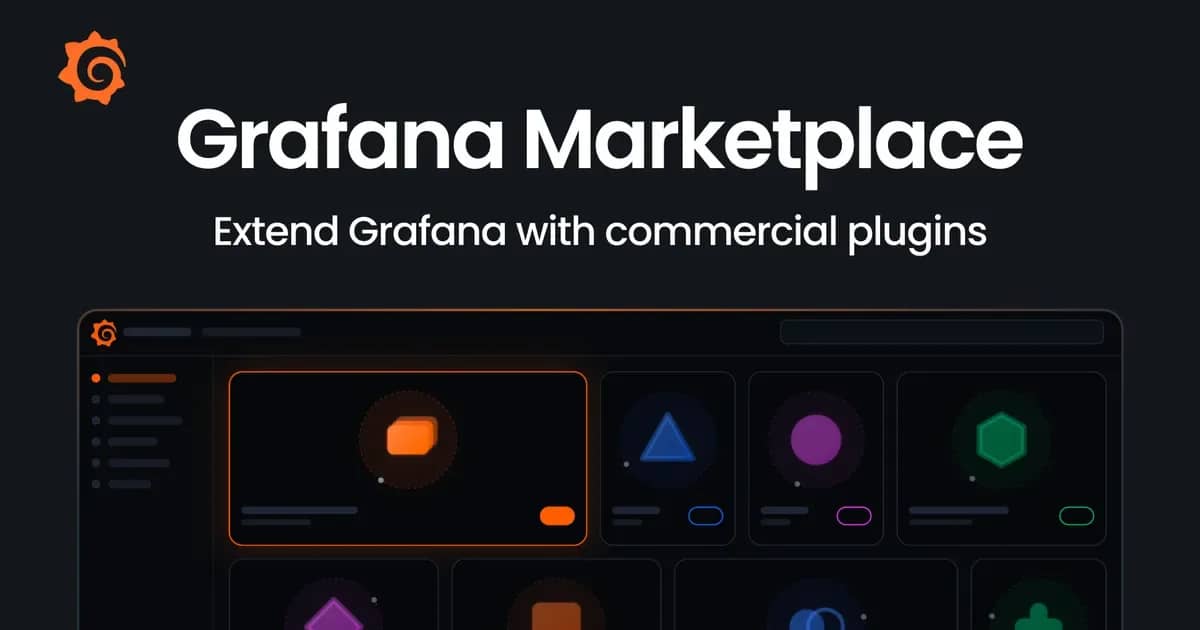
The Grafana Marketplace is now generally available, giving teams more ways to extend Grafana with specialized, partner-built plugins.
Since launching as a pilot program earlier this year, the Marketplace has grown to include more than 30 plugins spanning security, networking, cloud cost optimization, and more. These paid plugins come with partner-backed commitments to ongoing maintenance, compatibility, and support, helping users confidently connect Grafana to the specialized tools they rely on everyday.
%3Aquality(90)%2F&w=3840&q=75)
Grafana Cloud users can now try Marketplace plugins free for 14 days, with full functionality throughout the trial. Learn more in our blog post , and start exploring the Marketplace today.
Check out the ObservabilityCON 2026 homepage for all the latest updates from Grafana Labs' flagships observability event!
Originally published on
Grafana Labs Blog
Keep reading