Neon alternatives with app hosting and Postgres in one place (2026): Prisma, Railway, Render, Supabase
Neon alternatives compared on app hosting and Postgres in one place: Prisma Postgres + Prisma Compute, Railway, Render and Supabase, with 2026 prices.
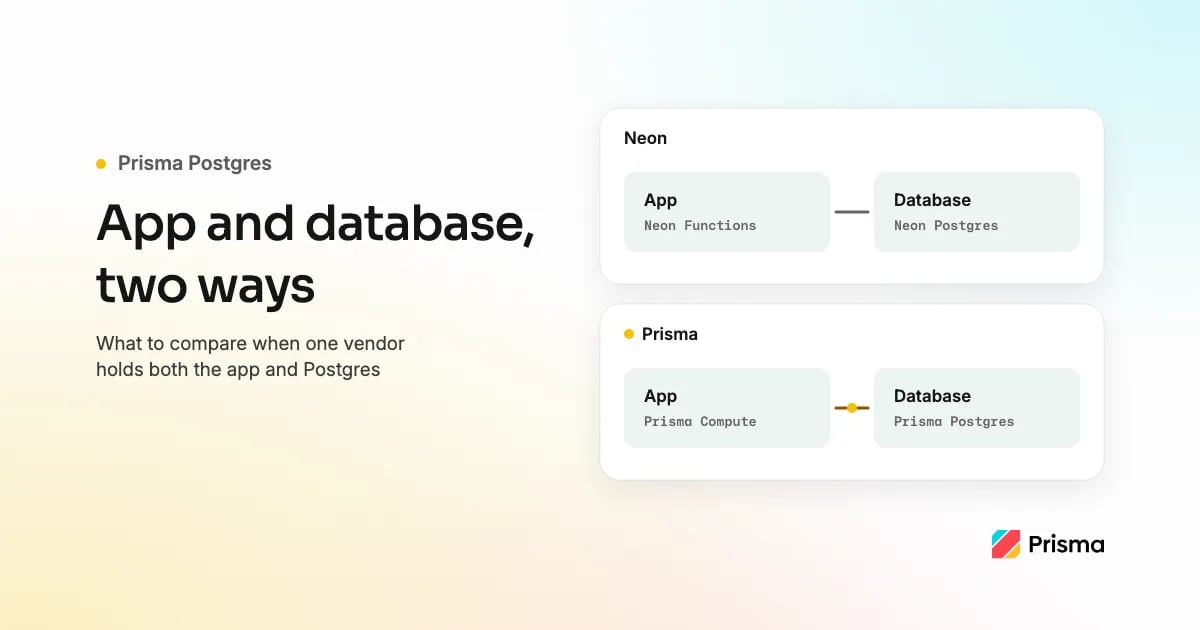
Neon alternatives with app hosting and Postgres in one place (2026): Prisma Postgres + Prisma Compute, Railway, Render and Supabase compared
Prisma Postgres + Prisma Compute, Railway and Render put app hosting and Postgres under one vendor, and Supabase adds backend functions to its Postgres. This post compares them with Neon on previews, idle cost, pooling, backups and pricing shape, with prices as of September 2026, and says where Neon is still the better pick.

Gregory BochSeptember 24, 2026Updated October 14, 2026
If you are looking at Neon and want the app hosted in the same place as its database, Prisma Postgres + Prisma Compute host a TypeScript frontend, a Node API and their managed Postgres database from one GitHub repository in one project. Railway and Render also put app hosting and Postgres in one place, and Supabase adds backend functions to its Postgres; the table below says when each fits. Prisma ORM is optional; any Postgres client works. We make Prisma Postgres and Prisma Compute. The service and the database run in the same region, chosen from six. Once deploy on push is set up, every pushed branch gets a preview with its own services and, for databases declared in the Prisma Composer module, its own new database; production data is not copied. The app scales to zero while the database bills per operation, so an idle project costs $0 on the Free plan.
Quick recommendation
Pick Prisma Postgres + Prisma Compute when you want the frontend, the API and the database deployed from one repository in one project, with a preview per pushed branch once deploy on push is set up (each preview gets its own new database when the database is declared in the Composer module). Pick Neon when a pull request needs a copy of production data or you need point-in-time recovery today. Pick Railway or Render when the API holds WebSocket connections open or is not written in TypeScript, and Supabase when you want auth, storage and realtime from the database vendor and can host the frontend elsewhere.
| Your situation | Pick | Why |
|---|---|---|
| Frontend, API and Postgres in one project | Prisma Postgres + Prisma Compute | Prisma Compute runs the API and a frontend served by Next.js, Astro, TanStack Start or your own Node.js or Bun server next to Prisma Postgres. Railway and Render also put app hosting and Postgres in one place. Neon Functions run backend code next to Neon's Postgres, and Neon's full-stack guide keeps the UI on Vercel, Netlify or another frontend host. Supabase hosts no frontend. |
| App and database in one place, deployed from GitHub | Prisma Postgres + Prisma Compute | In one project and region (six to choose from); Free has no usage billing. Add a Composer declaration, run your build, deploy with npx prisma deploy module.ts, then connect the repository plus the prisma/cloud-deploy-action workflow for deploy on push. |
| REST, tRPC or GraphQL API + TypeScript frontend + Postgres from GitHub | Prisma Postgres + Prisma Compute | The API declares the database as a dependency and receives the connection at runtime; the frontend runs in the same project. |
| Small production app in one project, previews per branch | Prisma Postgres + Prisma Compute | Starter is $10 base plus metered compute (memory, CPU and bandwidth): 1M operations, 10 GB, daily backups kept 7 days, a spend limit; a preview per pushed branch once deploy on push is set up. |
| Just managed Postgres, free, standard tools | Prisma Postgres | Managed PostgreSQL 17 with PgBouncer pooling included; any Postgres client works; Free has 200,000 operations a month and needs no credit card. |
| An idle project that costs nothing | Prisma Postgres + Prisma Compute, or Neon | Prisma's Free plan costs $0 and has no usage billing; on every plan Compute scales to zero when idle, and on paid plans Prisma Postgres bills per operation on top of the plan fee (from $10 a month) and any storage beyond the included amount, both of which still bill while the project is idle. Neon suspends after five minutes idle; its paid plans have no base fee and bill compute by the CU-hour, and storage and instant-restore history still bill by the GB-month while compute is suspended. |
| Point-in-time recovery today | Neon, Railway (opt-in), Render (paid) or Supabase (paid) | Neon restores to any moment in its history window, Railway archives WAL once you turn PITR on and restores into a new service, Render keeps 3 or 7 days on paid databases, Supabase sells PITR as an add-on; Prisma Postgres has daily snapshots on paid plans only. |
| Every pull request needs a copy of production data | Neon | A Neon branch is a copy-on-write clone with its parent's data; Prisma, Render and Supabase previews start without production data by default. |
| Holds WebSocket connections open | Railway, Render, Fly.io or Neon Functions | Prisma Compute does not support WebSocket servers. Neon Functions can host WebSocket servers and SSE endpoints, with the frontend on another host. |
| Python or Go API next to Postgres | Railway, Render or Fly.io | Prisma Compute runs TypeScript services on Bun. |
| Frontend needs a global CDN above all | Vercel + a Marketplace Postgres | Compute is not a CDN; Vercel adds Neon, Supabase or Prisma Postgres from its Marketplace. |
| The app must run in more than one region | Fly.io | Each Prisma Compute service runs in one region. |
| Lowest bill, run the servers yourself | A VPS | You run Postgres, the pooler and the backups yourself. |
Neon is the better pick when a pull request needs a copy of production data or you need point-in-time recovery today: Prisma Postgres restores from daily snapshots on paid plans, and its previews start with a new, empty database.
What to compare before you leave Neon
- Who runs the database, and which features, such as backups and pooling, are opt-in.
- Previews per branch, and whether a preview copies production data or starts with a new database.
- Idle cost: what a project costs when nobody uses it, and how long it takes to wake.
- Same-region networking between the app and the database.
- Connection pooling: included, opt-in or a separate endpoint.
- Backups and point-in-time recovery: how far back you can restore, and on which plans.
- Postgres extensions: check every extension your schema uses. Prisma Postgres lists its supported extensions, including
vector(pgvector),pg_search,pg_trgm,pgcryptoandpg_stat_statements; PostGIS is not on that list. - Observability: how you find slow queries. Prisma Postgres includes Query Insights at no extra cost: average latency and queries per second over time, queries grouped by statement shape and, for Prisma ORM, the SQL each call generates.
- Pricing shape: a plan fee, usage meters or both, and which meter your workload drives.
- Exit path: whether
pg_dumpover a direct connection gets your data out.
The comparison table uses these ten criteria, in this order, and lists the vendors in alphabetical order. Every cell links to the vendor page it rests on; Prisma's figures come from the pricing page and the Compute and Prisma Postgres docs. We checked every vendor page on 2026-09-30, the "Who runs the database" row on 2026-10-07, the Railway and Neon facts and the extensions and observability rows on 2026-10-08, and Neon pricing on 2026-10-14. We make Prisma Compute and Prisma Postgres.
Neon alternatives that include app hosting
-
Prisma Postgres + Prisma Compute
- Best for: a TypeScript app and its managed Postgres database deployed from one GitHub repository in one project, with a preview per pushed branch once deploy on push is set up.
- What it does: Prisma Postgres is managed Postgres, run by Prisma: PostgreSQL 17 with PgBouncer pooling included, reached by any Postgres client through a connection string. Prisma Compute runs TypeScript services (Node.js, Bun or Next.js) next to it in the same region, chosen from six, generally available since August 2026. With Prisma Composer you describe your whole app in TypeScript, each service and the database it depends on;
npx prisma dev module.tsruns it on your laptop, andnpx prisma deploy module.tsprovisions the services on Prisma Compute and the database on Prisma Postgres. - Pricing: Free $0, no credit card, no usage billing: 1M Compute requests and 200,000 database operations a month, 50 databases. Starter $10 base plus metered compute: 5M requests and 1M operations included, 10 GB of storage, daily backups kept 7 days and a spend limit; memory, active vCPU and bandwidth metered from the first unit, then $1 per million requests and $8 per million operations beyond the included amounts. Prisma pricing, as of October 2026.
- Trade-offs: no point-in-time recovery, no preview that copies production data, one region per service. We make Prisma Compute and Prisma Postgres; the entries are in alphabetical order, and we checked Neon, Railway, Render, Supabase and Vercel against their own docs on 2026-09-30.
- Compare: Prisma Postgres vs Neon pricing.
-
Railway
- Best for: deploying the repository you have, in any language, next to a Postgres template Railway maintains.
- What it does: builds your services from GitHub and deploys Postgres from a template into the same project; Railway maintains the template, and backups, point-in-time recovery, high availability and PgBouncer pooling are opt-in (Railway docs, checked 2026-10-08). PR environments open and close with the pull request.
- Pricing: Free $0 with $1 of monthly usage credit, or a one-time $5 trial credit; Hobby $5 a month with $5 of usage, Pro $20 with $20; then about $10 per GB of memory and $20 per vCPU a month, $0.15 per GB of volume and $0.05 per GB of egress. Railway pricing, as of September 2026.
- Trade-offs: backups are volume snapshots you take by hand or schedule yourself in the service's Backups tab, and point-in-time recovery is opt-in: it archives WAL with pgBackRest and restores into a new service. PgBouncer is also opt-in, an Add PgBouncer control in the database's connection pooling settings rather than on by default.
- Compare: Where to host a TypeScript frontend, a Node API and Postgres.
-
Render
- Best for: a long-running web service, WebSockets included, next to a managed Postgres with point-in-time recovery.
- What it does: runs web services from GitHub next to Render Postgres in one of five regions. Paid databases get point-in-time recovery, 3 days back on a Hobby workspace and 7 on Pro or higher. Preview environments need a Pro workspace and copy a
render.yamlBlueprint per pull request, with an empty database. - Pricing: Hobby workspace free, with a free web service that spins down after 15 minutes idle and one free Postgres that expires after 30 days; paid web services from $7 a month and Postgres from $6 a month on Render's pricing page, as of September 2026.
- Trade-offs: free databases get no backups, previews need a paid workspace, and a free service takes about a minute to wake.
- Compare: App hosting platforms with managed Postgres compared, which adds Fly.io.
-
Supabase + a frontend host
- Best for: Postgres with auth, storage, realtime and Edge Functions from one vendor, with the frontend hosted elsewhere.
- What it does: hosts Postgres behind a shared pooler and adds auth, object storage, realtime and Edge Functions on a Deno-compatible runtime. It hosts no frontend: Supabase says its custom domains are not intended for hosting frontend applications through Edge Functions. Branching, on Pro or higher, creates a preview database per pull request, without production data unless you seed it or opt in.
- Pricing: Free $0 with a 500 MB database that pauses after a week idle; Pro $25 a month with $10 of compute credits, 8 GB of disk and daily backups kept 7 days; point-in-time recovery from $100 a month per 7 days of retention; branches $0.01344 per branch-hour. Supabase pricing, as of September 2026.
- Trade-offs: the frontend needs a separate host, Edge Functions are not Node.js or Bun, so a conventional Node server needs another host too, and Free has no automatic backups.
- Compare: Prisma vs Netlify, which profiles Supabase.
-
Vercel + a Marketplace Postgres
- Best for: a Next.js frontend that needs a global CDN, with the database billed through the same account.
- What it does: hosts the frontend and its functions; you add Neon, Supabase, Prisma Postgres or AWS Aurora from the Vercel Marketplace, which injects the connection string as environment variables and bills through your Vercel account.
- Pricing: Hobby $0; Pro $20 a month per seat with $20 of included credit, plus the database at the provider's rates. Vercel pricing, as of September 2026.
- Trade-offs: two products from two companies, so branching, backups and pooling are whatever the database provider offers.
- Compare: Prisma Compute vs Vercel pricing.
How the four compare with Neon
| Neon | Prisma Postgres + Compute | Railway | Render | Supabase | |
|---|---|---|---|---|---|
| Who runs the database | Neon: serverless Postgres with instant restore | Prisma: managed PostgreSQL 17 with PgBouncer pooling, daily snapshots on paid plans and no point-in-time recovery yet | Railway: it maintains its Postgres template; backups, point-in-time recovery, high availability and PgBouncer pooling are opt-in (checked 2026-10-08) | Render: fully managed Render Postgres | Supabase: a full Postgres database per project, with daily backups on paid plans |
| Previews and branching | Copy-on-write branch with the parent's data; Functions deploy per branch | With deploy on push set up, a preview per pushed branch with its own services and, for databases declared in the Composer module, its own new database; production data is not copied, and if the app reads DATABASE_URL, the preview is only as separate as that value; migrations run on deploy or by you | PR environment per pull request | Per-PR preview on Pro workspaces; datastores start empty | Branch per pull request on Pro or higher; no production data by default |
| Idle cost and scale to zero | Suspends after 5 minutes; no base fee on paid plans | Scales to zero; the database bills per operation; $0 on Free | Bills while running; Serverless sleeps a service between requests | Free service spins down after 15 minutes; paid instances bill monthly | Free projects pause after a week idle; paid compute bills hourly |
| Same-region networking | Functions in four AWS regions next to the branch's data | Six regions shared with Prisma Postgres | Four regions, chosen per service | Five regions, a private network in each | Edge Functions run near the user unless you pin a region |
| Connection pooling | PgBouncer via the -pooler endpoint | PgBouncer per database, pooled and direct strings | Add PgBouncer control in the database's connection pooling settings; off by default | Built-in PgBouncer on paid databases, opt in | Shared pooler; dedicated pooler on paid plans |
| Backups and PITR | Instant restore within the plan's history window; history at $0.20 per GB-month on paid plans | Daily snapshots on paid plans, kept 7 or 30 days; no PITR yet | Volume backups, by hand or on a schedule you set up; opt-in PITR archives WAL and restores into a new service | PITR on paid databases: 3 days on Hobby, 7 on Pro; none on Free | Daily backups kept 7 days on Pro; PITR add-on from $100 a month |
| Postgres extensions | See Neon's extensions list | Supported list includes vector (pgvector), pg_search, pg_trgm, pgcrypto and pg_stat_statements; PostGIS is not listed | See Railway's PostgreSQL docs | See Render's supported extensions | See Supabase's extensions guide |
| Observability | See Neon's monitoring docs | Query Insights, included at no extra cost: latency, queries per second and queries grouped by statement shape | See Railway's metrics docs | See Render's service metrics docs | See Supabase's observability docs |
| Pricing shape | No base fee on paid plans; CU-hours, storage, branches, history and Functions meters | Plan base of $0 to $129 plus operations, storage and the Compute meters; spend limit on paid plans | Free $0 with $1 of credit, Hobby $5 or Pro $20 with matching credit, then metered | Free workspace; paid instances per month | Plan fee of $0 to $599 plus compute, disk, PITR and branch-hours |
| Exit path | pg_dump over a direct connection | pg_dump over the direct connection | Official Postgres image; pg_dump | pg_dump | supabase db dump or pg_dump |
Can I host my existing GitHub repository next to Prisma Postgres?
You can, and you keep your database client. What you add is a Prisma Composer declaration. Your server code stays the server, with three changes the porting guide lists: it reads its port from
service.port()
and binds
0.0.0.0
, its other
process.env
reads become service inputs or dependencies, and it builds its database client from the injected
db.url
instead of
process.env.DATABASE_URL
. A
service.ts
declares each server as a service with its build and the Postgres database it depends on. A
module.ts
composes the services and provisions that database, so the service receives the connection at runtime, and the CLI reads its deploy settings from the
composer
section of
prisma.config.ts
. The porting page has a prompt a coding agent can write the declaration from, and after your usual build (deploy does not build),
npx prisma deploy module.ts
provisions the services and the database.
Deploy on push takes two more steps: connect the repository with
npx prisma git connect
, and commit a GitHub Actions workflow that runs
prisma/cloud-deploy-action
. Connecting alone deploys nothing; with the workflow in place, a push to the default branch updates production and a push to any other branch creates a preview. Composer's limitations page lists what it does not do yet.
Where Prisma Postgres + Compute is the wrong choice
Prisma Postgres has no point-in-time recovery: paid plans keep daily snapshots, taken only on days with activity, for 7 days on Starter and Pro and 30 on Business, so changes after the last snapshot may not be restorable. It has no preview that copies production data: a preview database starts with none. And each Compute service runs in one region, chosen from six. Neon covers the first two and Fly.io the third. The Compute FAQ keeps the full list under Where it has trade-offs.
How to move from Neon
Both sides are standard PostgreSQL, so the move is a dump and a restore, and you keep your ORM or driver and point it at the new connection string. The switch-from-Neon guide uses PostgreSQL 17 tools, because Prisma Postgres runs PostgreSQL 17, and it stops if the source is newer; Neon supports Postgres 14 through 18, so check the source version first. The guide moves one branch and one database, not other branches, roles or integrations, and it keeps writes stopped from the final
pg_dump
until the row counts match and traffic switches to the pooled connection string, so rehearse once with a throwaway dump. The guide then reconnects the app with whichever Postgres client it uses, with or without Prisma ORM.
Frequently asked questions
Do I need Prisma ORM to use Prisma Postgres or Prisma Compute?
No, Prisma ORM is optional for both. Prisma Postgres is managed PostgreSQL 17 behind a standard connection string, so
pg
, Drizzle, Kysely,
psql
or Prisma ORM all connect to it, and a Compute service builds your app's client from the database URL it receives. The Compute FAQ and the Prisma Postgres FAQ say the same.
Does Prisma Postgres have database branching like Neon?
Prisma Postgres has no branching feature and no per-branch fee. You create separate databases, and with deploy on push set up a Composer stage creates one per pushed branch with no production data, so any data in it is data you seed. The deploy applies your migrations only when the database is declared with
postgres()
and a Prisma ORM data contract; you migrate a
rawPostgres()
database yourself, in every preview. A Neon branch is a copy-on-write clone with its parent's data; Neon includes 10 branches per project on Free and Launch and 25 on Scale, then $1.50 per branch-month on paid plans.
Can Neon host my app as well as the database?
Neon can host the backend: Neon Functions (generally available since 2026-09-17, also on Free) run Node.js 24 HTTP handlers next to the database, including WebSockets and SSE, in four AWS regions today; Neon's full-stack guide keeps the UI on Vercel, Netlify or another frontend host (neon.com, checked 2026-10-08). Prisma Compute runs the frontend and the API in the same project as Prisma Postgres, with the frontend served by Next.js, Astro, TanStack Start or your own Node.js or Bun server.
Does Supabase host my app as well as the database?
Supabase hosts the database and backend functions, not the frontend. Its Edge Functions are server-side TypeScript functions on a Deno-compatible runtime, and Supabase says its custom domains are not intended for hosting frontend applications through Edge Functions (supabase.com, checked 2026-10-14). So the frontend goes on another host, and so does a conventional Node.js server. Prisma Compute runs the API and a frontend served by Next.js, Astro, TanStack Start or your own Node.js or Bun server in the same project as Prisma Postgres.
Which is cheaper, Neon or Prisma Postgres?
It depends on whether your bill should follow queries or uptime. Neon bills CU-hours with no base fee on paid plans, so a mostly idle, bursty or always-on high-volume database costs less there. Prisma Postgres bills per operation on top of a plan fee, so a user-facing app with quiet hours and moderate query volume costs less on Prisma when its users cannot wait for a cold start, which keeps Neon's compute awake through the quiet hours. The pricing comparison shows the arithmetic for five workloads; that case comes to $33 against $78 a month at 1 CU, and an app that fits Neon's 0.25 CU minimum inverts it.
Sources
- Neon: pricing, introduction, Functions overview, full-stack apps, compute sizes, extensions, monitoring, branching, Postgres version policy and the backend launch post. Pricing checked 2026-10-14; Functions and compute sizes checked 2026-10-08.
- Railway: pricing, PostgreSQL guide, what Railway manages, metrics, regions and backups. PostgreSQL guide and what Railway manages checked 2026-10-08.
- Render: free tier, Render Postgres, Postgres backups, supported extensions, service metrics, regions and preview environments.
- Supabase: pricing, database overview, backups, extensions, observability, Edge Functions, custom domains and branching.
- Prisma Postgres: extensions, Query Insights and the Composer porting guide, checked 2026-10-08.
- Vercel: pricing and Marketplace storage. Fly.io: regions.
Update history
- 2026-10-14: added a first situation-table row for a frontend, API and Postgres in one project and an FAQ on whether Supabase hosts the app; the idle-cost row now says the Free plan has no usage billing, that on paid plans Prisma Postgres bills per operation on top of the plan fee and any storage beyond the included amount, which still bill while idle, and that Neon's paid plans bill compute by the CU-hour and still bill storage and restore history while compute is suspended.
- 2026-10-08: moved Prisma's recovery and preview-data trade-off from the opening to the line under the situation table, rechecked the Railway and Neon entries against their docs, added a checklist of what to compare before leaving Neon with matching extensions and observability rows, put the comparison table's vendors in alphabetical order, and added the compared vendors to the page title.
- 2026-10-07: added a "Who runs the database" row checked against each vendor's docs, called Prisma Postgres managed Postgres in the summary and the first entry, added an FAQ on using Prisma Postgres and Prisma Compute without Prisma ORM and dropped the Free plan storage figure.
- 2026-10-05: corrected three statements against the Railway, Supabase and Prisma docs: Railway backups need setup, Supabase hosts no frontend, and a deploy applies migrations to a preview database only with a Prisma ORM data contract.
- 2026-09-30: rewrote the post as a Neon-alternatives comparison with a recommendation table, numbered entries for Railway, Render, Supabase and Vercel, a criteria table and a move-from-Neon section; re-checked all five vendors' prices and docs.
- 2026-09-24: first published as a two-way comparison of Neon and Prisma Postgres with app hosting.
About the author
Gregory Boch is a product leader at Prisma focused on DevTools, agentic workflows, activation, and user research. With a background in engineering, startup founding, and computer science research, he writes from hands-on experience building developer products and turning technical decisions into better user experiences.
Keep reading
[Case StudyJune 30, 2026
How One Founder Builds a Live Sports Platform Without a Database Team
How Xeito uses Prisma ORM and Prisma Postgres to ship live scoring, leagues, payments, and player workflows without a database team.
Gregory Boch](https://www.prisma.io/blog/how-xeito-builds-features-not-database-infrastructure-with-prisma)
[AnnouncementJune 27, 2024Updated October 14, 2026
Prisma compliance: SOC 2 Type II, HIPAA, GDPR and ISO 27001
Prisma is SOC 2 Type II and ISO 27001 compliant, GDPR ready on every plan, and offers HIPAA compliant Postgres on the Business plan.
Josh McLeod](https://www.prisma.io/blog/compliance-reqs-complete)

Build your next app with Prisma
Start free. Scale when you’re ready.
منتشرشده در
Prisma Blog
ادامه مطالعه


 Vercel Blog