Next.js 16.2
Next.js 16.2 includes Adapters, rendering performance improvements, improved debugging and error pages, and more.



Next.js 16.2 includes performance improvements, better debugging, improvements for Agents, and over 200 Turbopack fixes and improvements.
- Faster Time-to-URL: ~400% faster
next devstartup - Faster Rendering: ~50% faster rendering
- New Default Error Page: Redesigned built-in 500 page
- Server Function Logging: Dev terminal logs for Server Function execution
- Hydration Diff Indicator: Clear server/client diff in the error overlay
--inspectfornext start: Attach the Node.js debugger to your production server
We also published dedicated deep-dive posts for two major areas of this release:
- Turbopack: Faster builds, SRI support,
postcss.config.ts, tree shaking improvements, Server Fast Refresh, and 200+ bug fixes - AI Improvements:
AGENTS.mdincreate-next-app, browser log forwarding, andnext-browser(experimental)
Upgrade today, or get started with:
# Use the automated upgrade CLI
npx @next/codemod@canary upgrade latest

# ...or upgrade manually
npm install next@latest react@latest react-dom@latest

# ...or start a new project
npx create-next-app@latest
Copy link to headingFaster Time-to-URL in Development
We've significantly improved the time it takes before
localhost:3000
is ready during
next dev
. On the same machine and project, startup is ~87% faster compared to Next.js 16.1 on the default application.
Copy link to headingFaster Rendering
We contributed a change to React that makes Server Components payload deserialization up to 350% faster. The previous implementation used a
JSON.parse
reviver callback, which crosses the C++/JavaScript boundary in V8 for every key-value pair in the parsed JSON. Even a trivial no-op reviver makes
JSON.parse
roughly 4x slower than without one.
The new approach uses a two-step process: plain
JSON.parse()
followed by a recursive walk in pure JavaScript. This eliminates the boundary-crossing overhead and adds optimizations like short-circuiting plain strings that don't need transformation.
In real-world Next.js applications, this translates to 25% to 60% faster rendering to HTML, depending on the RSC payload size.
Copy link to headingNew Default Error Page
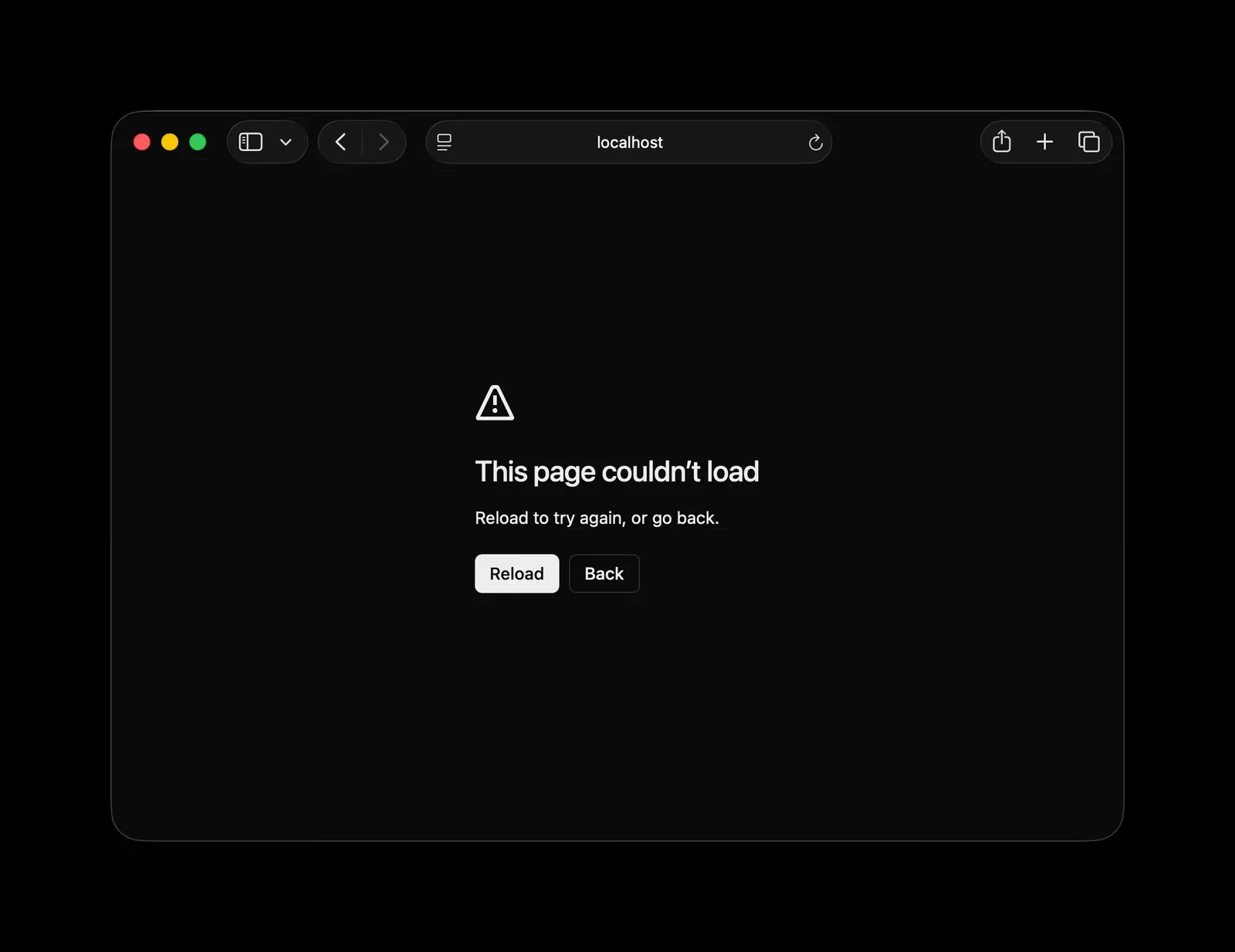
The default error page shown in production has been redesigned. When your application encounters an error and you haven't defined a custom
global-error.tsx
or
error.tsx
, Next.js renders a built-in fallback page. This fallback has been updated with a cleaner, more modern design.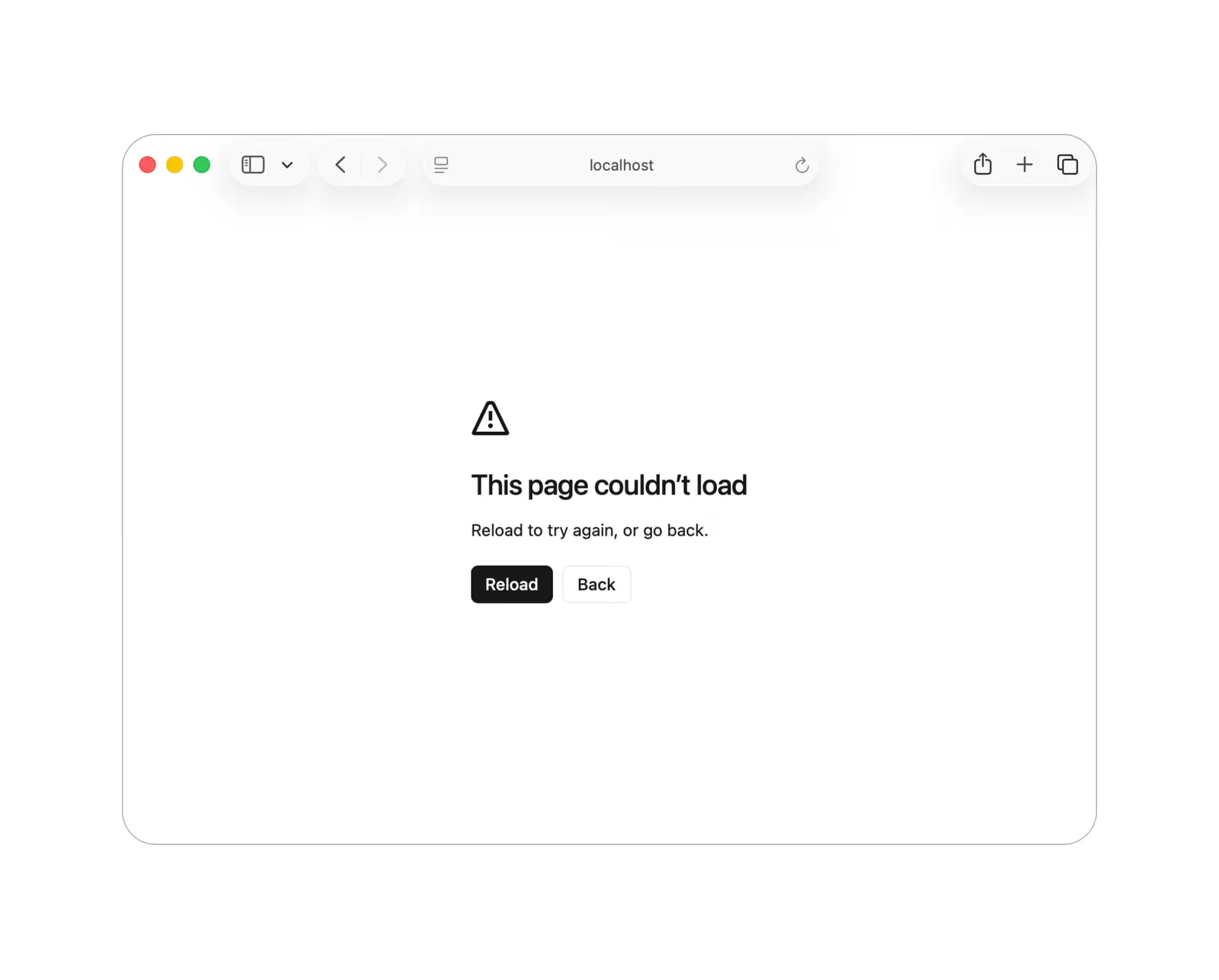
Copy link to headingServer Function Logging
Next.js now logs Server Function execution in the terminal during development. Each log shows the function name, its arguments, execution time, and the file it's defined in.
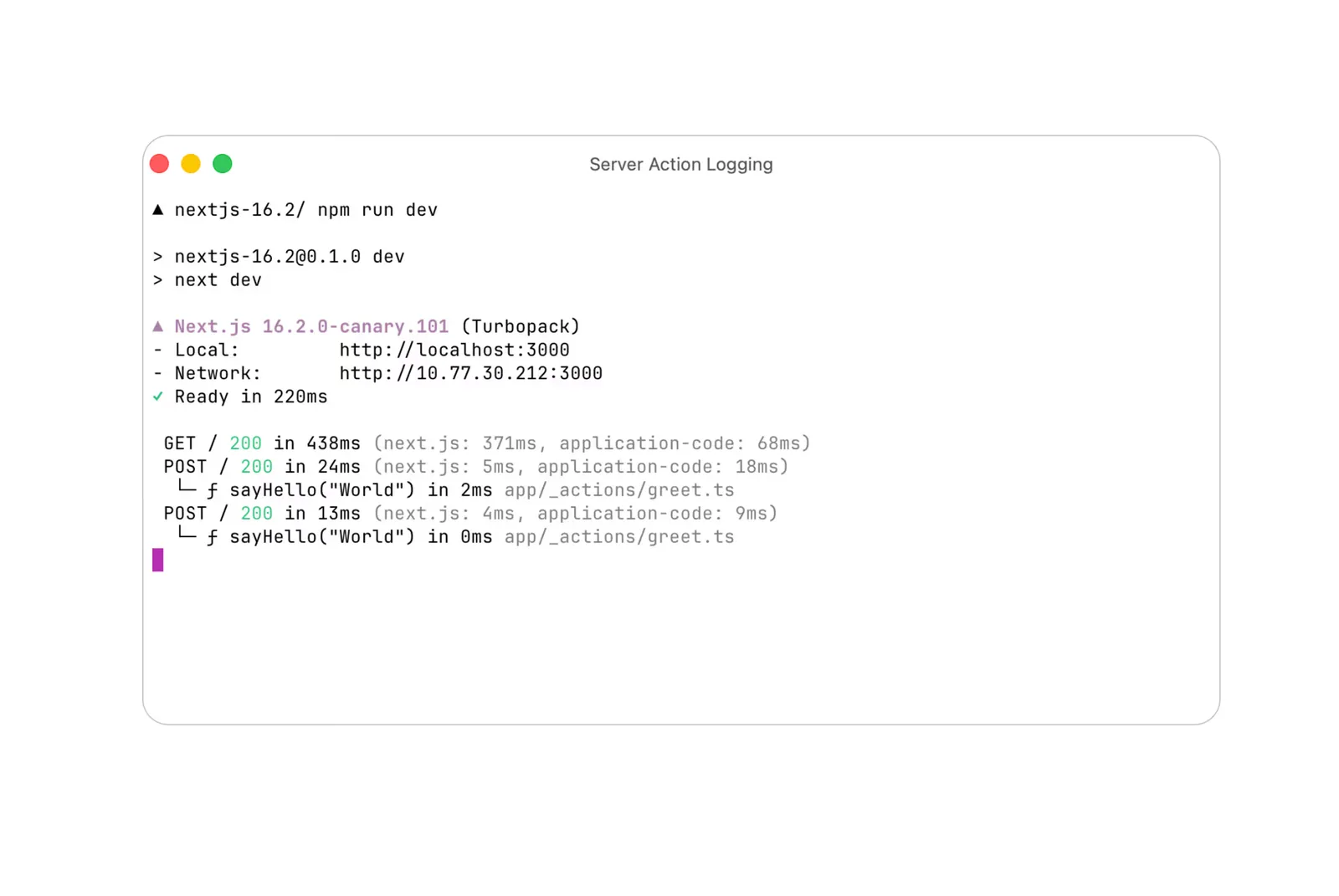
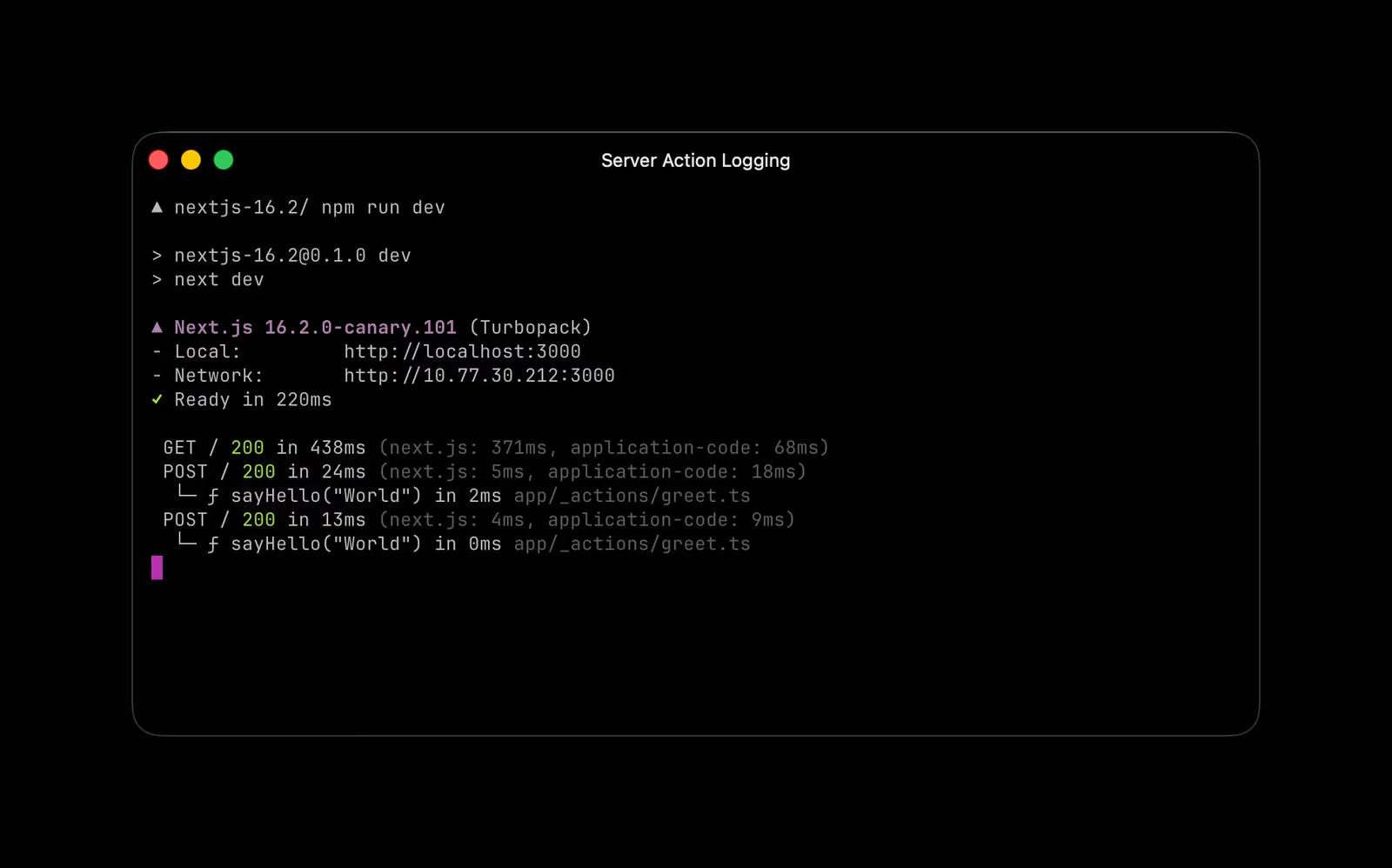
Server Function execution logs in the development terminal
Copy link to headingHydration Diff Indicator
When a hydration mismatch occurs, the error overlay now clearly labels which content came from the server and which from the client. The diff uses a
+ Client
/
- Server
legend, making it immediately clear what diverged.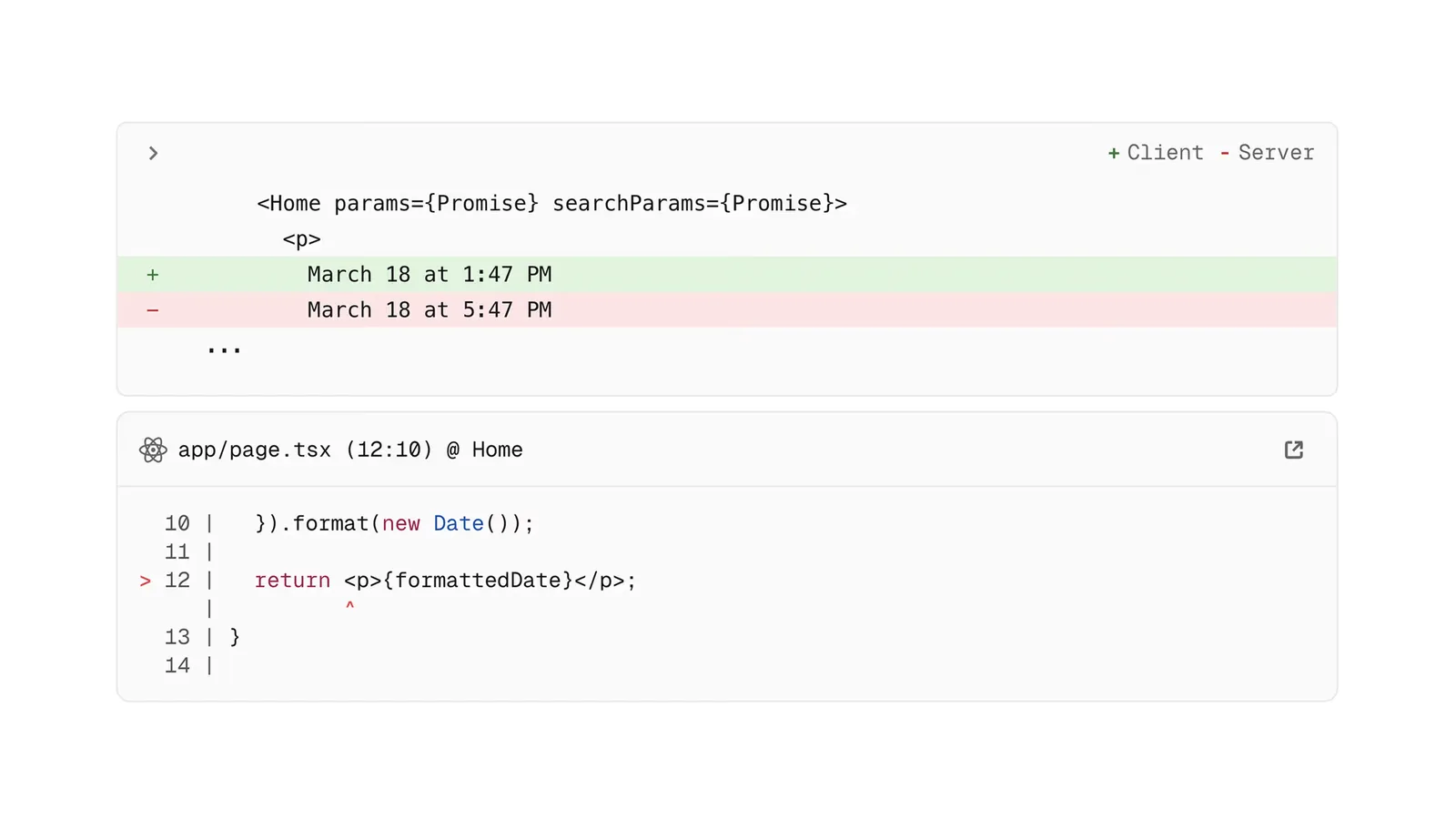
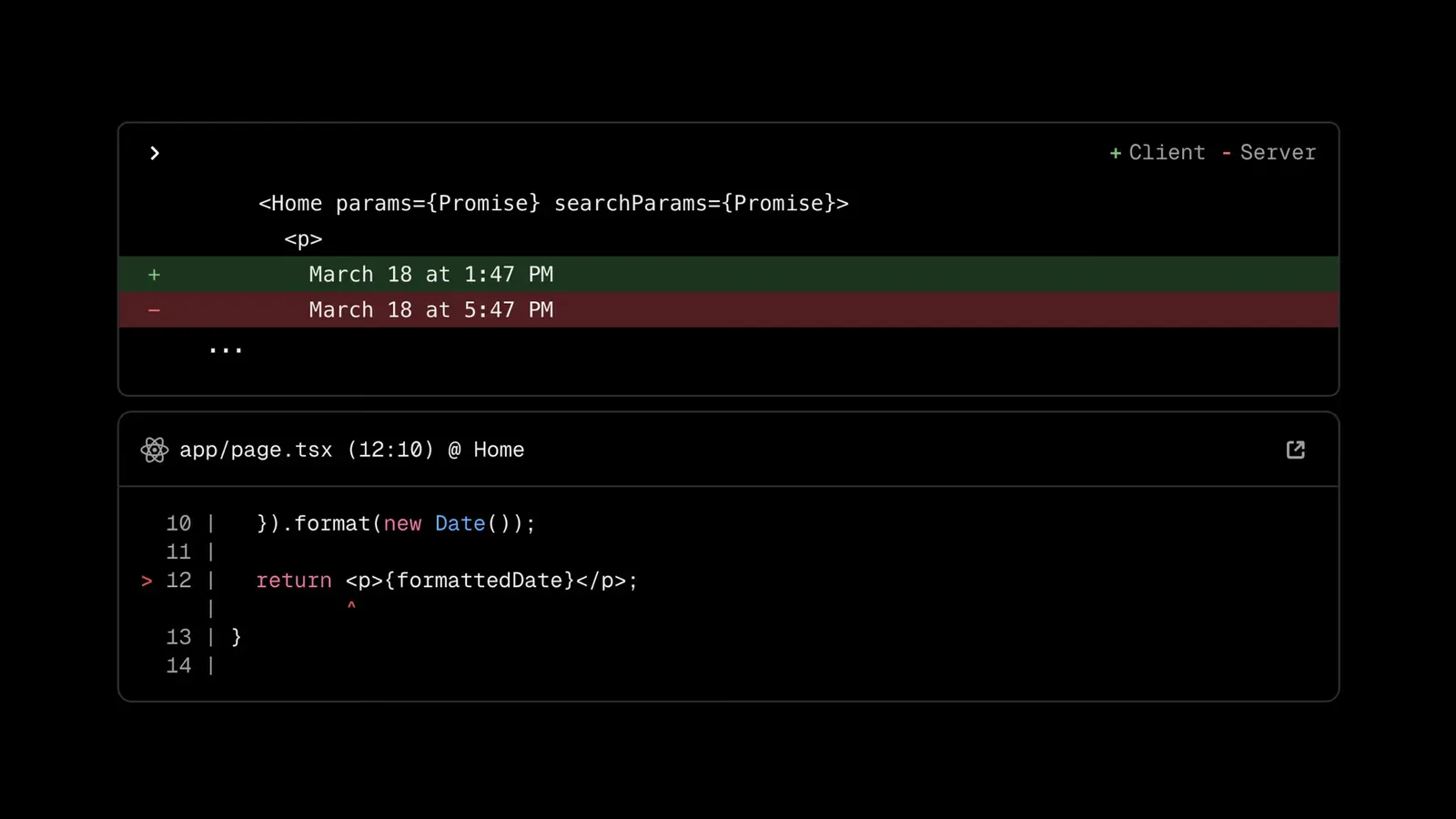
The hydration diff indicator showing client/server content differences
Copy link to heading--inspect for next start
Next.js 16.1 introduced
next dev --inspect
for attaching the Node.js debugger during development. In 16.2, this extends to
next start
, allowing you to attach a Node.js debugger to your production server.
next start --inspect
This is useful for debugging issues or profiling CPU and memory usage.
For more information on how to use the Node.js debugger, see the Chrome documentation.
Copy link to headingtransitionTypes Prop for next/link
The
<Link>
component now accepts a transitionTypes prop — an array of strings that specifies the types of View Transitions to apply when navigating. Each type is passed to
React.addTransitionType
during the navigation Transition, allowing you to trigger different animations based on the navigation direction or context.
<Link href="/about" transitionTypes={['slide']}>
  About
</Link>
This is only supported in the App Router, since the Pages Router does not use React Transitions for navigation.
transitionTypes
on Pages Router links is silently ignored, so shared link components work across both routers.
To learn more about view transitions, see the documentation.
Copy link to headingFaster ImageResponse
ImageResponse
has been updated with significant improvements:
- 2x faster
ImageResponsefor basic images, up to 20x faster for complex images - Improved CSS and SVG coverage, including support for inline CSS variables,
text-indent,text-decoration-skip-ink,box-sizing,display: contents,position: static, and percentage values forgap - Default font changed from Noto Sans to Geist Sans
Learn more about ImageResponse.
Copy link to headingError Causes in the Dev Overlay
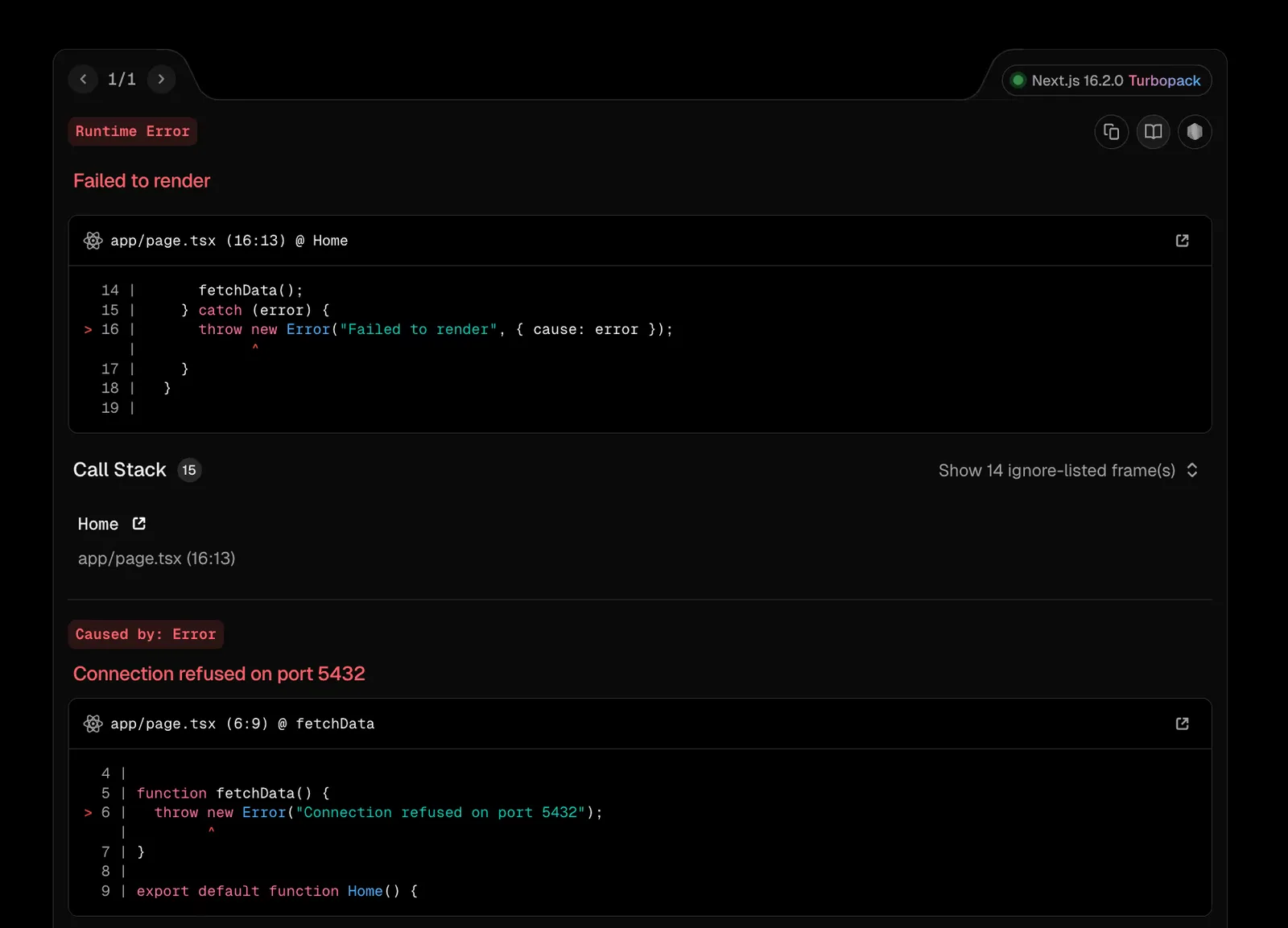
The error overlay now displays
Error.cause
chains, making it easier to debug errors that wrap other errors. Causes are shown in a flat list below the top-level error, up to 5 levels deep.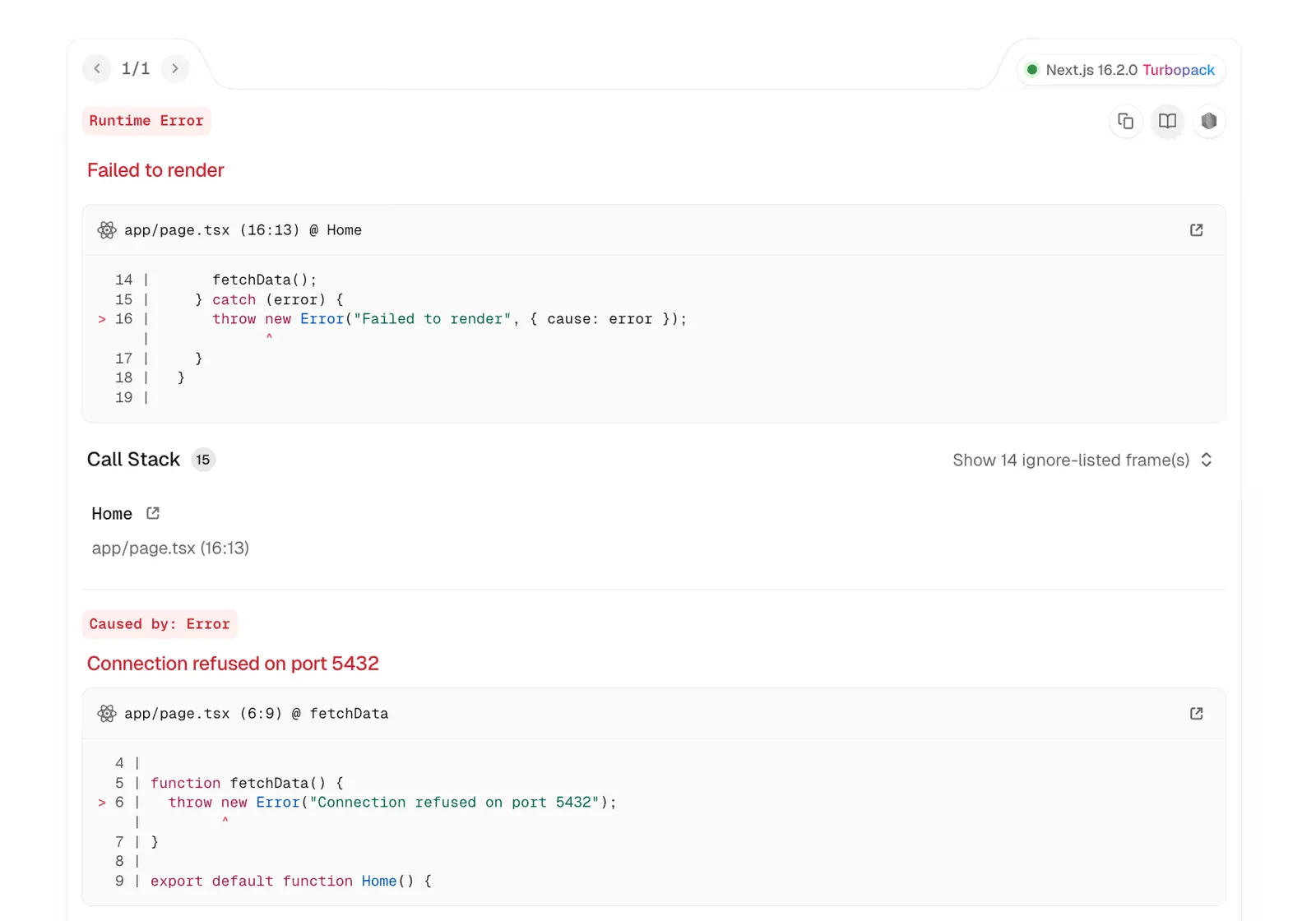
Copy link to headingAdapters
Adapters are now stable. This is a new API that allows platforms to customize the build process.
This is useful for deployment platforms or custom build integrations that need to modify the Next.js configuration or process the build output.
We will share a more detailed overview of Adapters next week.
Copy link to headingMultiple Icon Formats
Multiple icon files with the same base name but different extensions are now handled automatically in your app directory (e.g.,
icon.png
and
icon.svg
). This is useful for browser fallback support. Modern browsers can use SVG icons while older browsers fall back to PNG. Both formats are rendered as separate
<link>
tags.
Copy link to headingExperimental Features
Copy link to headingunstable_catchError()
Extending the error recovery experience with the error.js file convention, unstable_catchError() provides more granular control of the error boundaries on the component level. By creating a custom error boundary using
unstable_catchError()
, you can place it anywhere in your component tree.
Compared to a custom React error boundary,
unstable_catchError()
is designed to work with Next.js out of the box:
- Built-in error recovery:
unstable_retry()re-renders the page from the server in transition. - Framework-aware integration: APIs like
redirect()andnotFound()work by throwing special errors under the hood.unstable_catchError()handles these seamlessly, so they're not accidentally caught by your error boundary. - Client navigation handling: The error state automatically clears when you do a client navigation to a different route.
The error boundary created by
unstable_catchError()
receives the props passed from the call site and the
ErrorInfo
value as the second argument, which is the same shape as the props passed to the
error.js
file convention.
Just like
error.js
,
unstable_catchError()
can only be called from Client Components.
'use client';

import { unstable_catchError, type ErrorInfo } from 'next/error';

function CustomErrorBoundary(
  props: { title: string },
  { error, unstable_retry }: ErrorInfo,
) {
  return (
    <div>
      <h2>{props.title}</h2>
      <p>{error.message}</p>
      <button onClick={() => unstable_retry()}>Try again</button>
    </div>
  );
}

export default unstable_catchError(CustomErrorBoundary);
import CustomErrorBoundary from './custom-error-boundary';

export default function Page() {
  return (
    <CustomErrorBoundary title="Oops! Something went wrong!">
      <Component />
    </CustomErrorBoundary>
  );
}
Copy link to headingunstable_retry() in error.tsx
A new unstable_retry() prop is now available in
error.tsx
components. Previously, the
reset()
prop only cleared the error state and re-rendered the children, which works for temporary rendering errors but doesn't help when the error originates from data fetching or the RSC phase.
unstable_retry()
calls
router.refresh()
and
reset()
within a
startTransition()
, providing built-in retry logic that re-fetches data and re-renders the segment. This is expected to be preferred over
reset()
for most error recovery scenarios.
'use client';

import type { ErrorInfo } from 'next/error';

export default function Error({ error, unstable_retry }: ErrorInfo) {
  return (
    <div>
      <h2>Something went wrong</h2>
      <p>{error.message}</p>
      <button onClick={() => unstable_retry()}>Try again</button>
    </div>
  );
}
Copy link to headingexperimental.prefetchInlining
Next.js 16 introduced per-segment prefetching, where the client issues individual requests for each segment in the route tree. This improves cache efficiency as shared layouts between sibling routes are fetched once and reused, but increases request volume.
The new
experimental.prefetchInlining
option bundles all segment data for a route into a single response, reducing the number of prefetch requests to one per link. The trade-off is that shared layout data is duplicated across inlined responses rather than being cached and reused.
const nextConfig = {
  experimental: {
    prefetchInlining: true,
  },
};

export default nextConfig;
This is a stepping stone toward a size-based heuristic where small segments are inlined automatically and larger segments remain separate.
Copy link to headingexperimental.cachedNavigations
This flag independently controls the Cached Navigations behavior, which caches static and dynamic Server Components data from navigations and the initial HTML loads so that repeat visits can be served instantly. Requires
cacheComponents
to be enabled.
Copy link to headingexperimental.appNewScrollHandler
A reworked scroll and focus management system for App Router using React Fragment refs. The new handler improves how focus is managed after navigations. Instead of focusing the first focusable descendant deep within a segment (which could skip past content), it now blurs the active element, matching how browser navigations work.
const nextConfig = {
  experimental: {
    appNewScrollHandler: true,
  },
};

export default nextConfig;
Copy link to headingFeedback and Community
Share your feedback and help shape the future of Next.js:
Copy link to headingContributors
Next.js is the result of the combined work of over 3,770 individual developers. This release was brought to you by:
- The Next.js team: Andrew, Hendrik, Janka, Jiachi, Jimmy, Jiwon, JJ, Josh, Jude, Sam, Sebbie, Tim, and Zack.
- The Turbopack team: Benjamin, Andrew, Luke, Niklas, Tobias, and Will.
- The Next.js Docs team: Delba, Rich, Ismael, Joseph and Aurora.
Huge thanks to @acdlite, @unstubbable, @mischnic, @sokra, @ztanner, @mmastrac, @bgw, @lukesandberg, @wyattjoh, @huozhi, @eps1lon, @jwueller, @brookemosby, @delbaoliveira, @icyJoseph, @gaojude, @hanzala-sohrab, @dango0812, @ijjk, @msmx-mnakagawa, @Juneezee, @davidgolden, @LucianBuzzo, @devjiwonchoi, @alexcarpenter, @jaffarkeikei, @BradErz, @mintydev789, @naaa760, @Suhaib3100, @pavan-sh, @amannn, @fireairforce, @JamBalaya56562, @wheresrhys, @ericrav, @lubieowoce, @Thomas465xd, @bgub, @wbinnssmith, @Netail, @robert-j-webb, @bencmbrook, @shadcn, @sigmachirality, @abhishekmardiya, @vvscode, @feedthejim, @freek-boon-greenberry, @andrewimm, @alubbe, @FurryR, @01-binary, @andrewdamelio, @swarnava, @gnoff, @kristiyan-velkov, @styfle, @haydenbleasel, @rishishanbhag, @tdarthur, @lavanitha, and @karlhorky for helping!

منتشرشده در
Next.js Blog
ادامه مطالعه


 Next.js Blog

 Vercel Blog